Guide
Getting started
Ten short steps. The first three take about five minutes; the rest you can read when you need them.
A 12-minute walkthrough with English captions: install, channels, plans, competitor links and the first read, history, runs, rules, a price change and the red table, the live Google Sheet and CSV, issues, alerts, downgrade and uninstall.
1. Install the app
Open njX Competitor Price Watch in the Shopify App Store and click Install. There is no account to create. The app asks to read products — nothing else: it has no access to orders or customers and never writes to your store. It reads your products once, so it knows your prices.
2. Connect a channel
Channels → Telegram gives you two links: one for yourself, one to add the bot to a team group. Slack and Discord take a channel webhook URL (or Add to Slack), checked by posting a “Connected” message before it is saved. An e-mail address receives nothing until its owner confirms it. Every new channel gets an example of an alert the moment it is connected.
3. Add a link
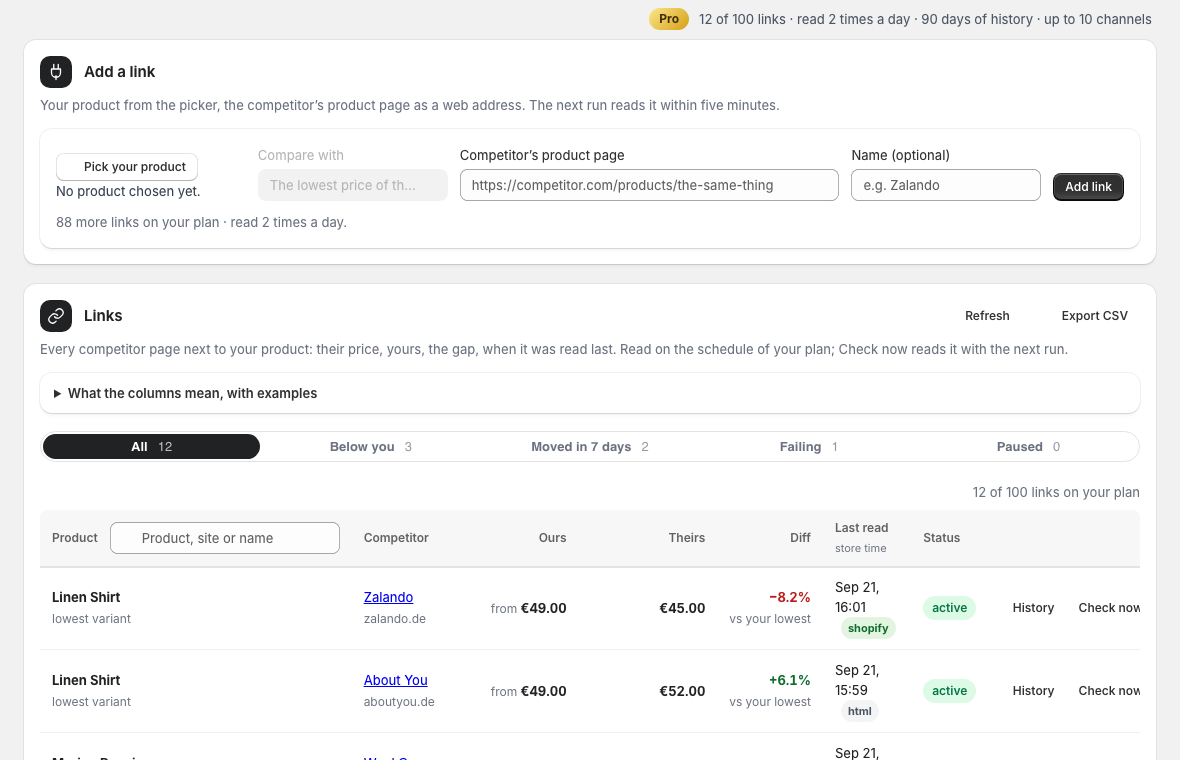
Links → Pick from the catalogue opens the Shopify picker, or pick a product you already compare; a product with several variants asks which one to compare, one with a single variant does not. Paste the competitor’s product page — the page itself, not the shop’s home — give it a name if you like, Add. The row says “waiting for the first read”; the next run reads it within five minutes.
4. Home: who is below you
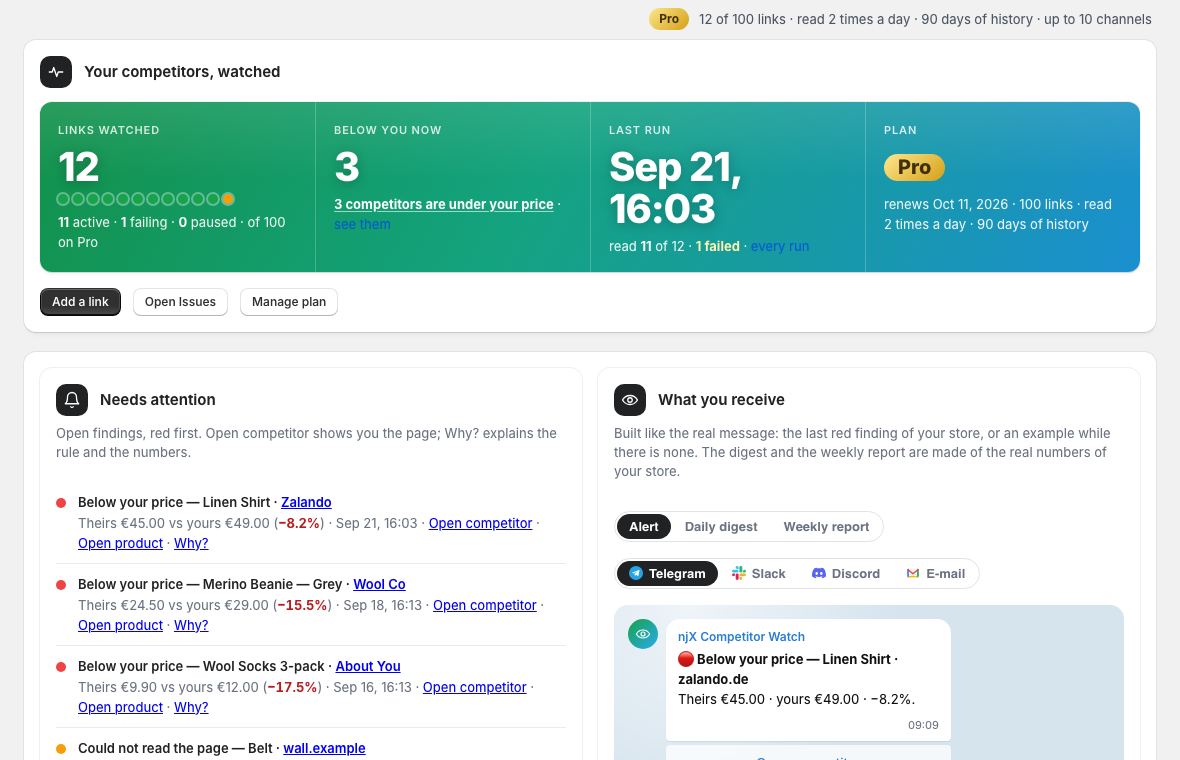
The status panel counts links by state, says how many competitors are under your price right now and when the last run read what. Needs attention lists the open findings, red first, with the competitor page one click away. What you receive shows the real last alert of your store, drawn the way each chat shows it.
5. Issues: every finding, with the reason
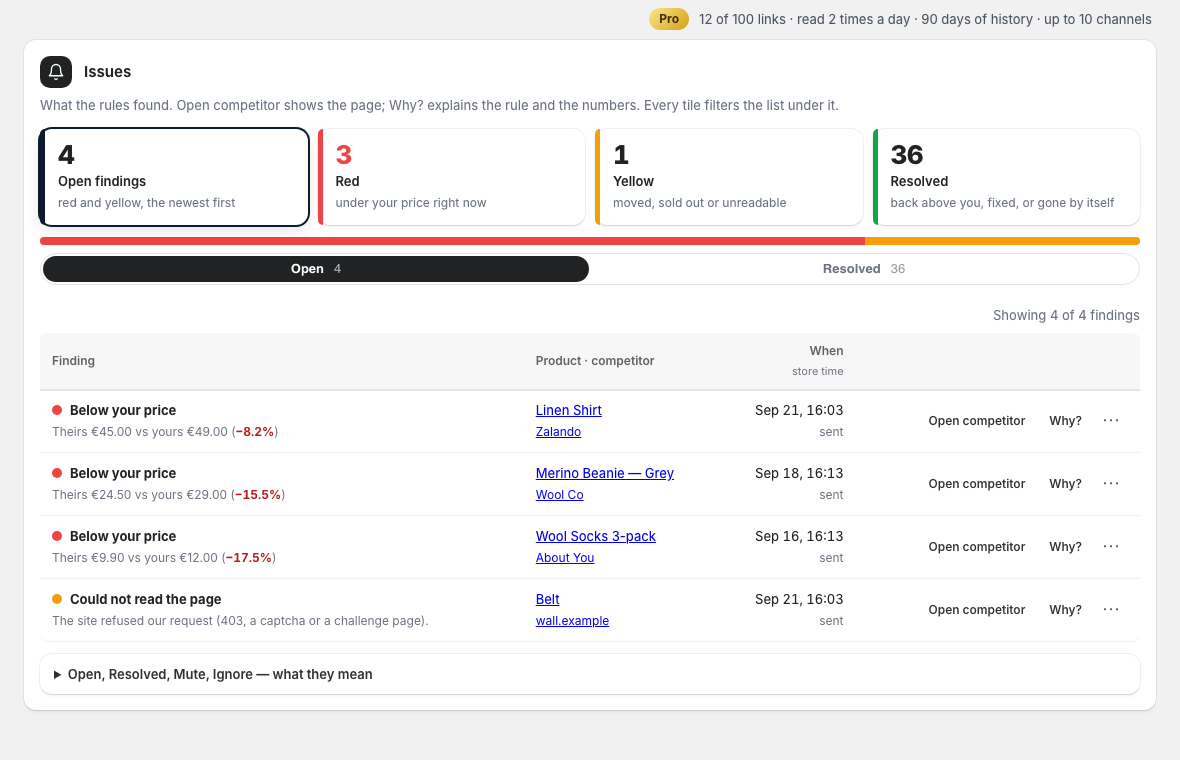
A finding is open while the condition holds — a competitor under your price stays red until their price is back above yours, then it closes by itself. Why? explains the rule and the numbers. Mark as fixed closes it by hand; Mute holds the rule for a week or a month; Ignore stops it for this link until you switch it back on.
6. Runs: every read on the record
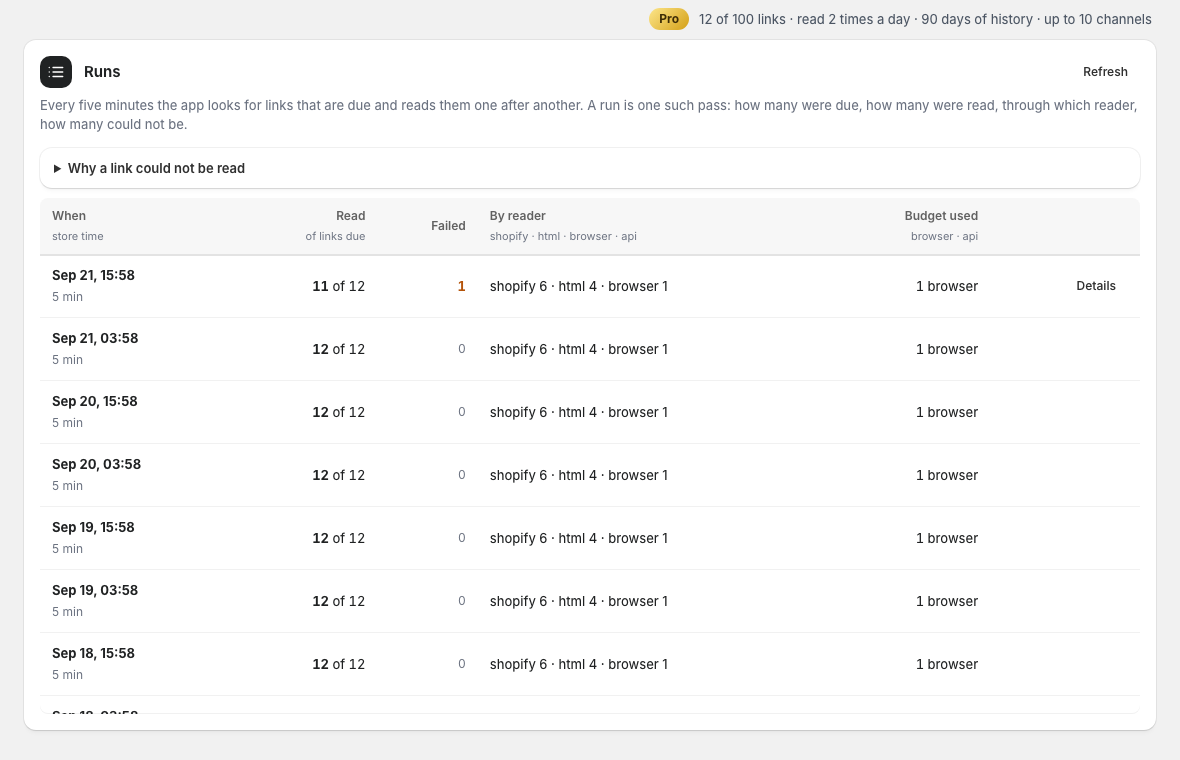
Every five minutes the app looks for links that are due and reads them one after another. A run says what was due, what was read, through which reader — the public data of a Shopify store, the structured data of the page, or a real browser for pages built with scripts — and what could not be read, with the reason in words: refused, no price found, gone, timeout, robots.txt.
7. The table: filter, pin, note, export
The toggle on the left narrows the table to competitors on sale, pinned comparisons, those with a note, or sold out; the tabs next to it to who is below you, what moved in the period you choose, what fails, what is paused. Filter and sort opens brand, category and tag of your products, the period of Moved, and the sort. A star pins a comparison to the top — Pro 10, Business 20, Scale 30 — and the note icon keeps your own line under the product; both go into the CSV and the live Google Sheet (one permanent link per store, the IMPORTDATA formula for cell A1). Own read times: in Additional settings of a comparison switch When to read to set times or an interval of your own, in your store’s time zone.
8. Rules: from which gap to tell you
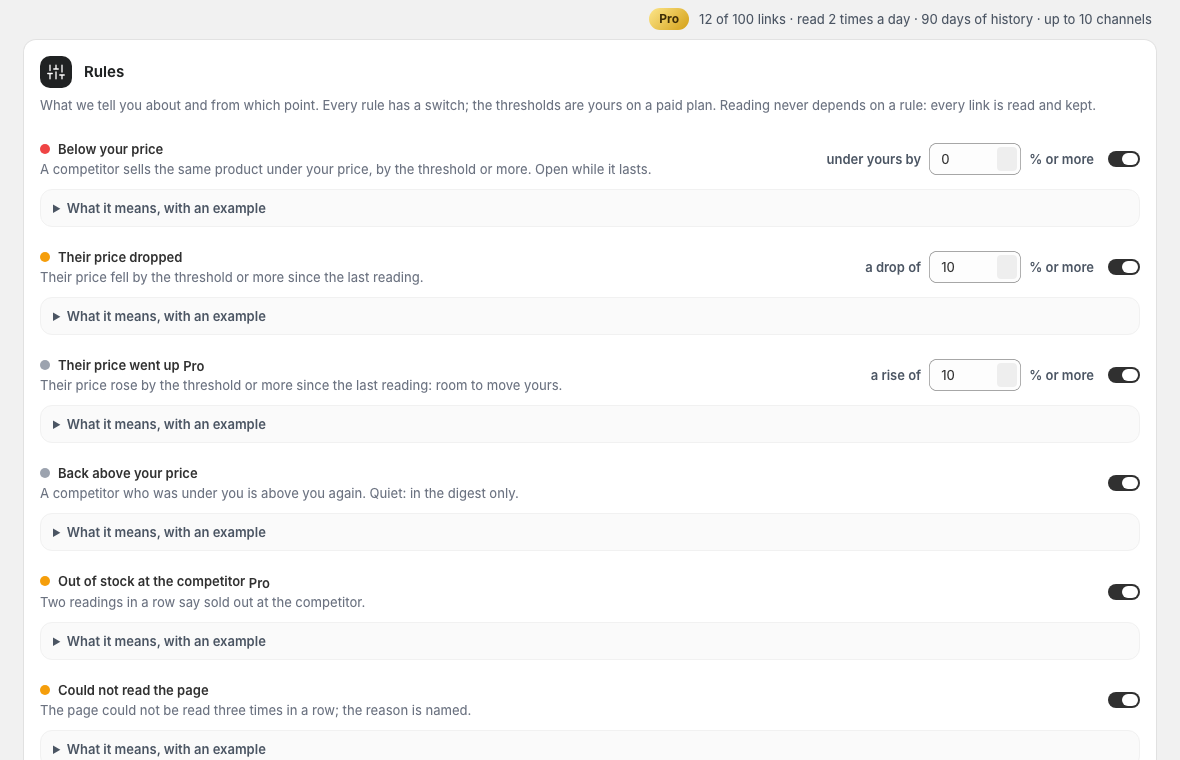
Below your price fires on any gap by default; set 5% and only a real undercut counts. A drop or a rise by your threshold since the previous reading, out of stock twice in a row, a page that could not be read three times: every rule has a switch, an example and a clear end. Raised prices and out-of-stock are Pro rules; thresholds are yours on a paid plan.
9. Free, Pro, Business or Scale
Free watches 5 links once a day with one channel and 30 days of history. Pro watches 100 links twice a day with your own thresholds, the Pro rules, 10 channels, 90 days and CSV. Business watches 300 links four times a day with a year of history; Scale 600 links six times a day. Manage plan opens Shopify’s own plan page; billing is on your Shopify invoice.
10. Stop or change anything
Pause a link and it is not read until you resume it; remove it and its readings go with it. Switch a channel off, remove it, or use the one-click unsubscribe in any e-mail. Uninstalling the app deletes everything we hold about your store; nothing was ever written to it.