Guide
Getting started
Ten short steps. The first three take about five minutes; the rest you can read when you need them.
1. Install the app
Open njX Promo & Price Watch in the Shopify App Store and click Install. There is no account to create. The app asks to read products, discounts and orders. From a paid order it keeps the lines only — product, quantity, price, discount — so Results can say what a promo brought; it requests no customer data and cannot change anything in your store.
2. Let the first check run
The first load takes a minute or two: every variant and every discount is copied into a snapshot. Nothing from that first check is ever sent as an alert — what is already wrong appears on Home under “Found on the first check”, so your first minute with the app is not a wall of messages. From then on the app compares every change against that snapshot.
3. Connect a channel
Channels → Telegram gives you two links: one for yourself, one to add the bot to a team group. Slack connects with “Add to Slack”: allow the app in your workspace and pick the channel from a list. Discord takes a channel webhook URL. Every new channel gets a “Connected” message with an example alert. An e-mail address receives nothing until its owner clicks the confirmation link. Each channel decides for itself whether it gets red and yellow alerts or red only, and whether it gets the daily digest.
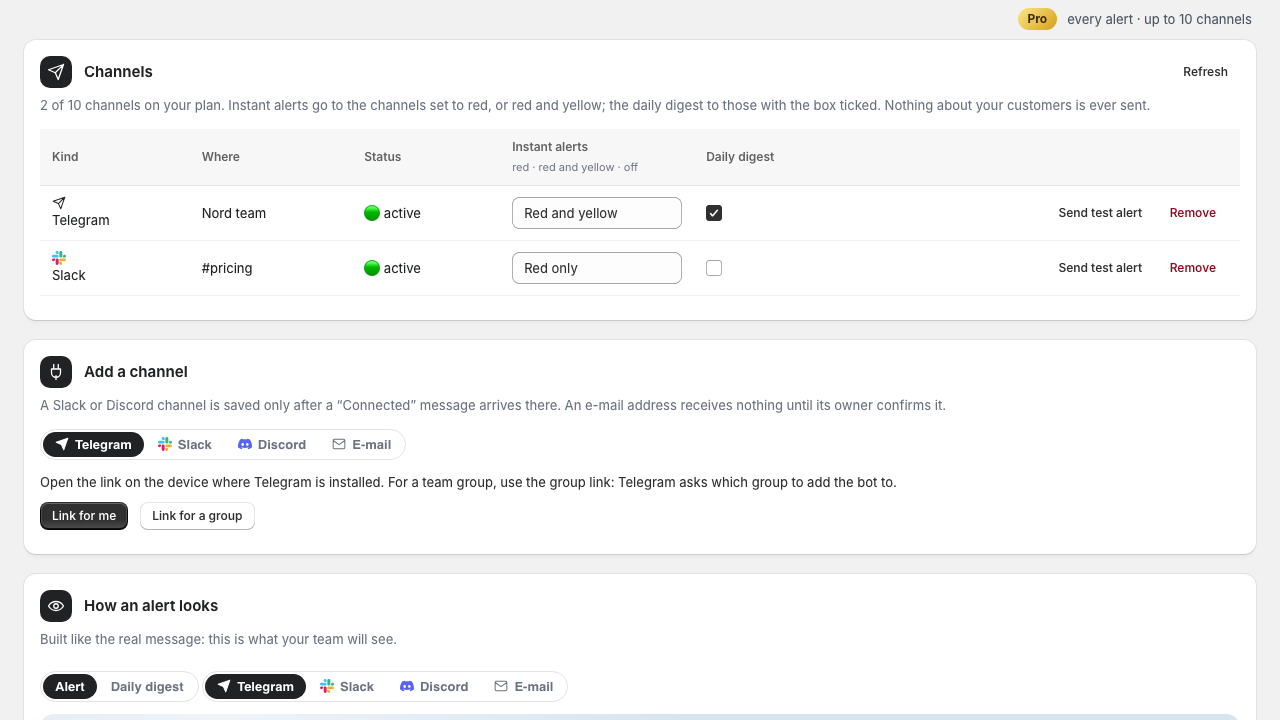
4. Send a test alert
Press Send test alert on any channel. It sends exactly what a real alert looks like, so your team recognises it later — and it proves the whole path works before a real problem needs it.
5. Read Activity when something happens
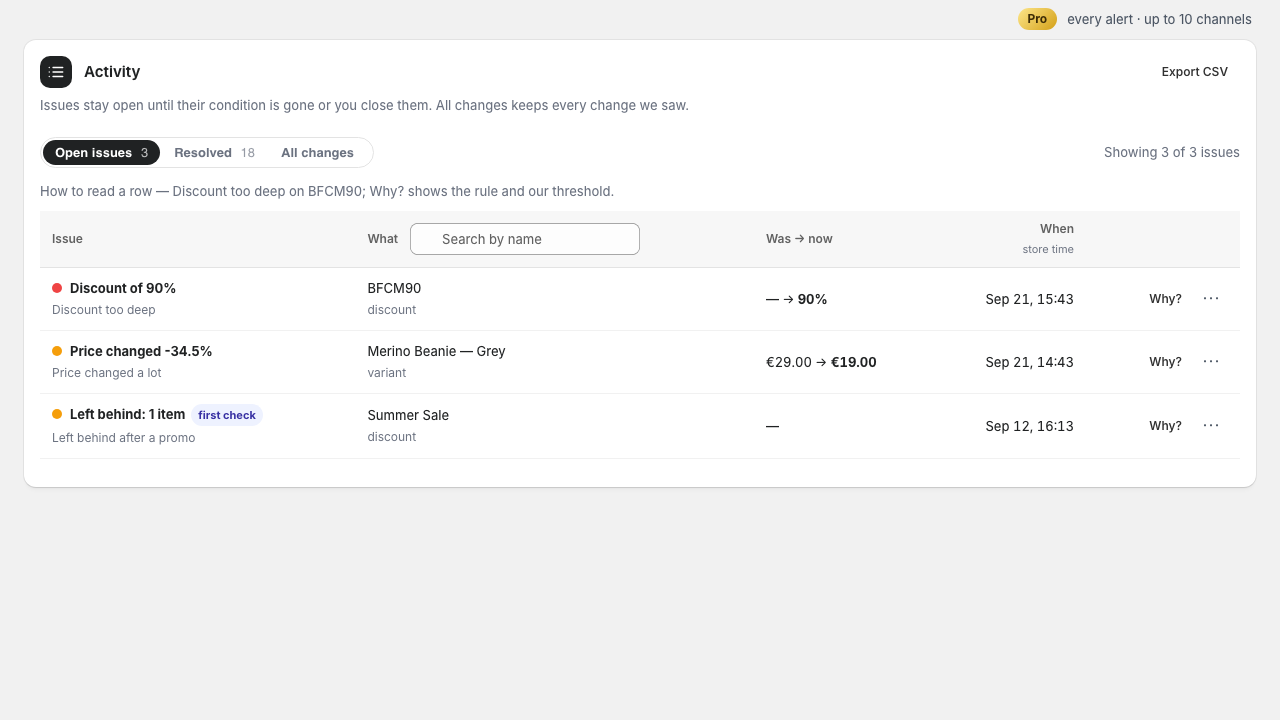
Every alert is also a row in Activity: the level, the rule, what it is about, the value before and after, and when. Press Why? to see the rule and the threshold it was measured against. A problem closes by itself when the condition is gone — you put the price back, you switch the code off — and “Resolved” shows it closed by itself. The ⋯ menu has Mark as fixed, Mute for 7 or 30 days (a sale you meant: the rule leaves this item alone and comes back by itself) and Ignore for this item; All changes is the plain history of everything we saw.
6. Read Prices: the price book of your store
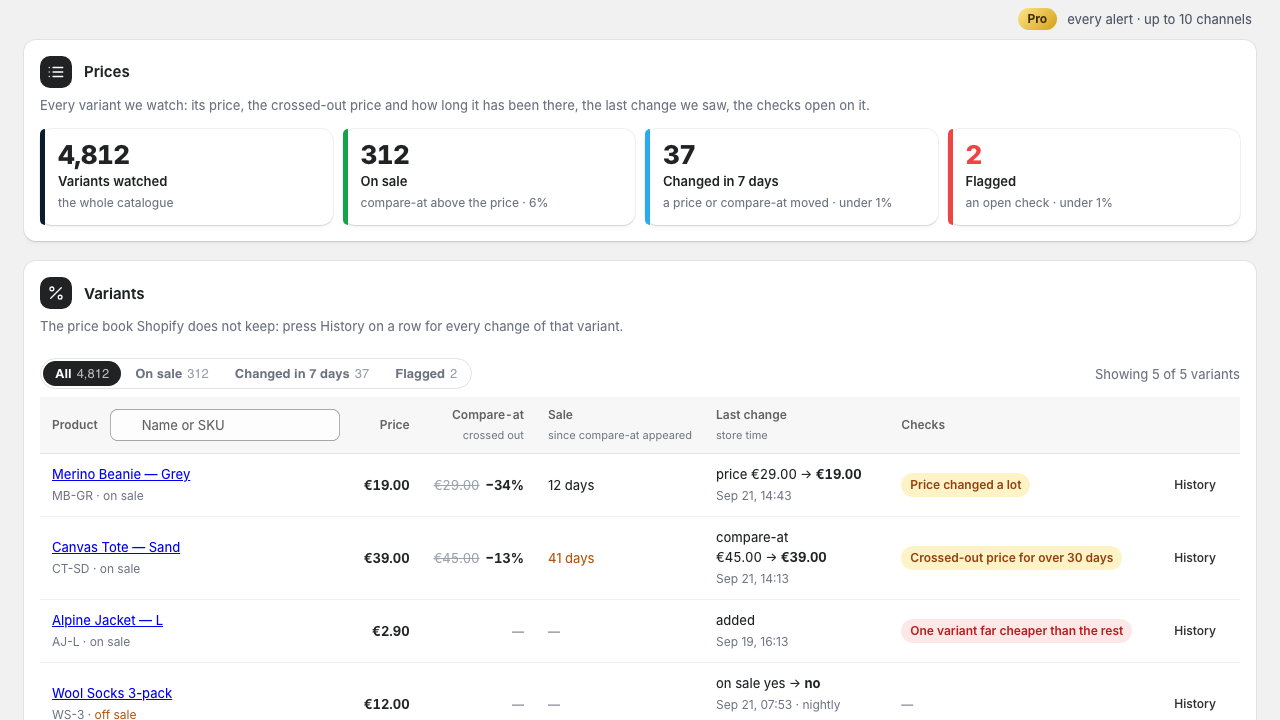
Prices shows every variant the app watches: the price, the crossed-out price with the discount it makes, how many days that sale has been on, the last change we saw and when, and the checks open on the row. Tabs narrow it to what is on sale, what changed in the last 7 days and what is flagged; the search takes a name or a SKU. History on a row is the price book Shopify does not keep: every price and compare-at change of that variant, newest first — 7 days on Free, 90 on Pro. A crossed-out price older than 30 days is marked: a sale that never ends is a discount that does not exist.
7. Watch a sale from start to finish
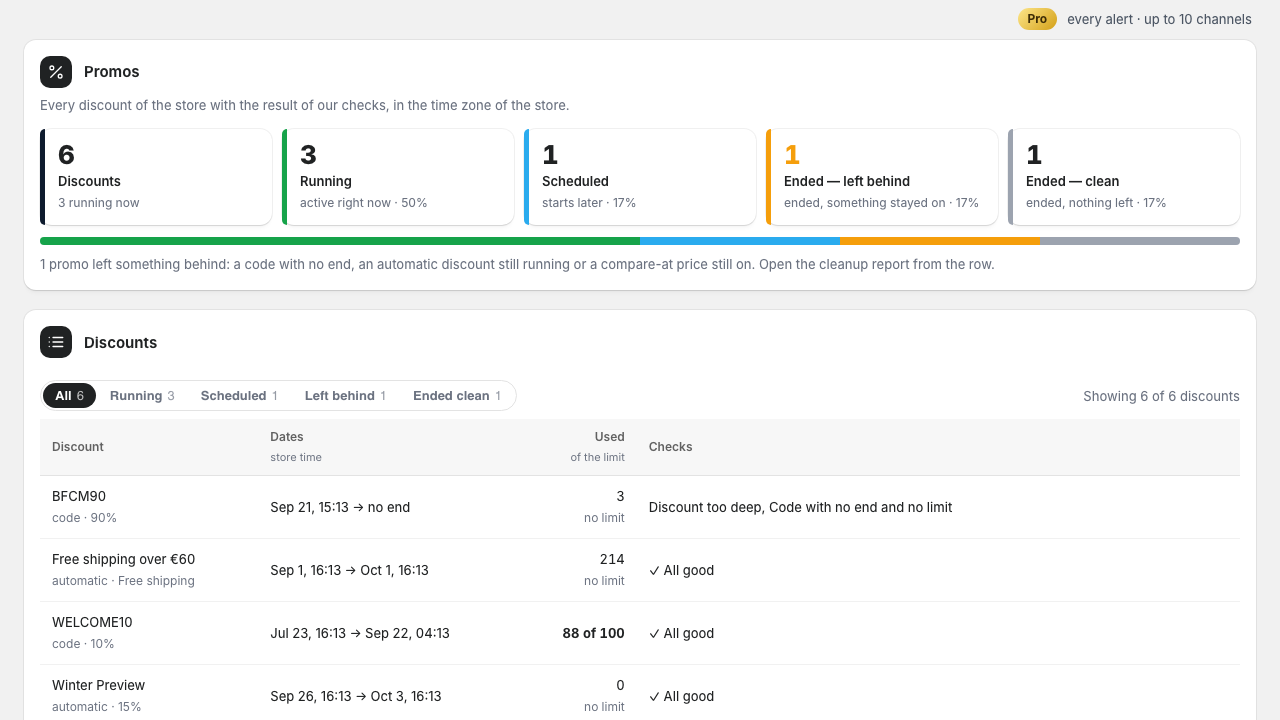
Promos puts every discount in one of four states: scheduled, running, ended and left something behind, ended clean. A row shows its dates in your store’s time zone, how much of the usage limit is gone and what our checks found. The morning after a promo ends, open its Cleanup report: codes without an end date, automatic discounts still running, products still showing the sale’s compare-at price.
8. Tune the rules to your shop
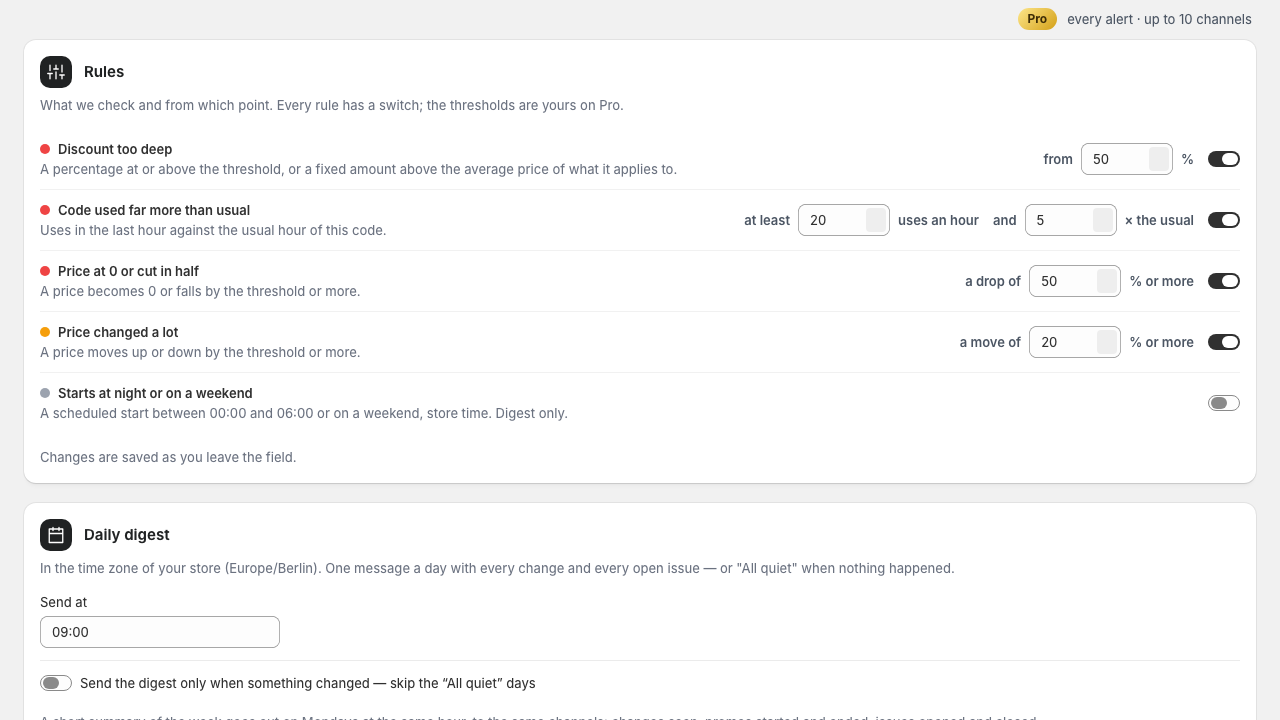
Rules lists every check with a switch and, on Pro, its threshold in plain units: a discount from 50%, a price drop from 50%, any price move of 20%, a code unused after 2 hours, a usage limit with less than 10% left, a leaked-code pace of five times the usual. Set the hour of the daily digest here too — it goes by your store’s time zone — and, if you would rather not hear “All quiet” every morning, switch the digest to “only when something changed”. On Mondays at the same hour a short summary of the week goes out: changes seen, promos started and ended, issues opened and closed. Everything saves as you change it.
9. Free or Pro
On Free every rule still runs and everything is visible in the app and in the daily digest; what is limited is how much is pushed to you — ten red alerts a month, one channel, seven days of history. Pro sends every red and yellow alert as it happens, allows ten channels, your own thresholds, 90 days of history with CSV, and lets you send a cleanup report straight to a channel. Manage plan opens Shopify’s own page; billing is on your Shopify invoice.
10. Stop or change anything
Switch a channel to “Off”, remove it, or use the one-click unsubscribe in any e-mail. Refresh checks whether a channel still exists without posting anything to it. Uninstalling the app deletes everything we hold about your store.
Still stuck?
The FAQ answers the common questions, and support reaches the developer directly.