Guide
Getting started
Nine short steps. The first three take about ten minutes; the rest you can read when you need them.
An 8-minute walkthrough with English captions: install, Home, the bar in the theme editor (desktop and phone), the storefront, Telegram, the plan page and the promise log.
1. Install the app
Open njX Delivery Date & Countdown in the Shopify App Store and click Install. There is no account to create. The app asks to read shipping settings, markets, orders and fulfilments — nothing else; orders are Level 1 protected customer data, and only the shipping country and the dates are used. It reads the countries you ship to (shipping zones, or your markets on a store with market-driven shipping), free-shipping thresholds, transit estimates and processing time, and prepares the rules the storefront will use.
2. Home: get set up
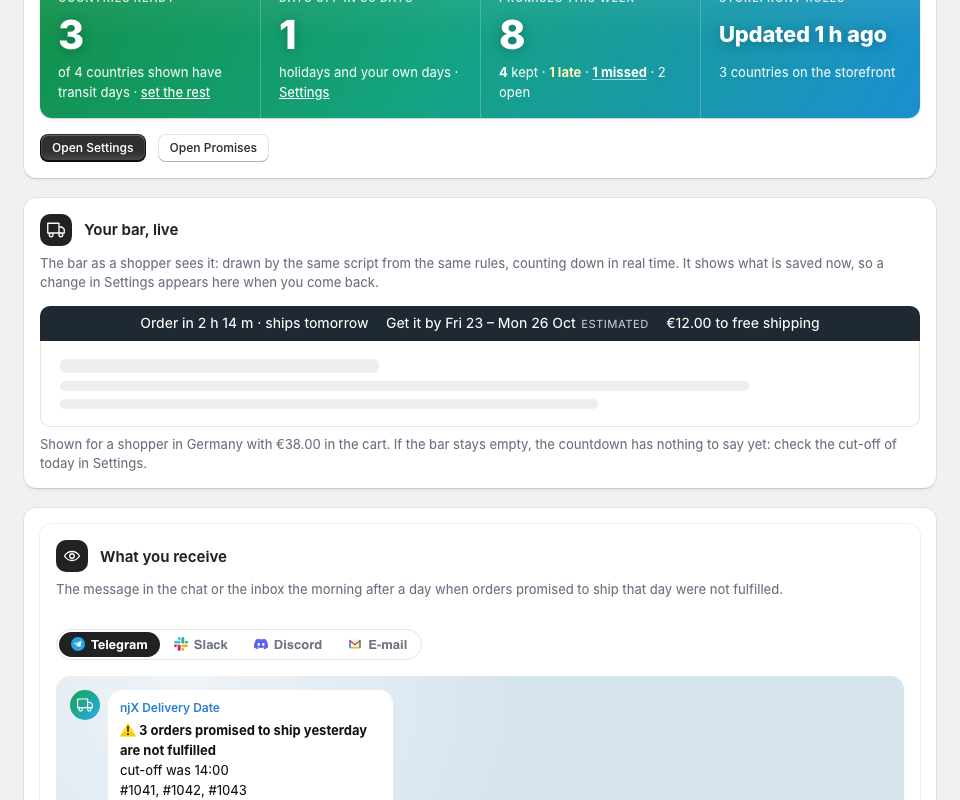
Home lists three steps: turn the bar on in your theme, fill in the transit days of at least one country, connect a channel (Pro). Under the tiles, “Your bar, live” draws the bar as a shopper will see it, from the same rules and the same script. The bar is off in your theme until you switch it on; Shopify does not tell apps whether it is on, so step 1 is closed by you.
3. Settings: cut-off, countries, days off
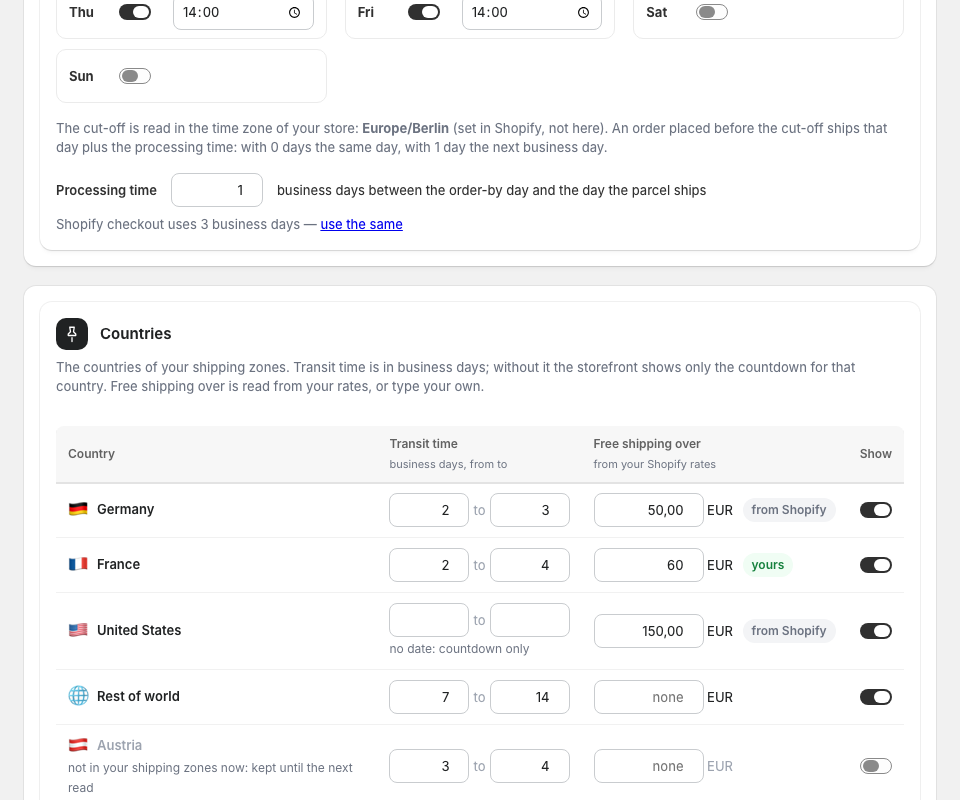
Dispatch: the cut-off for each day (a day without one is a day nothing is dispatched) and the processing time in business days; if Shopify checkout uses a different number, the app says so and offers to use the same. Countries: the countries of your zones with transit days from–to and a free-shipping threshold read from your rates or typed by you. Days off: public holidays of the next 12 months for your warehouse country and every shipping country (from the app’s own table for ten countries), each switchable, plus your own days off, a day or a range. Text: four phrases you may reword; the word Estimated stays. Everything saves as you leave a field.
4. The bar and the Get it by block
In the theme editor, App embeds → Delivery bar: choose the position, colours and size, and which of the three items to show: countdown, delivery date, free shipping left. On the product template, add the Get it by block under the price; it has a country select and remembers the shopper’s choice. The block stays silent when the selected variant is sold out; a country with no transit time shows only the countdown.
5. How the date is counted
From now, in the store’s time zone: the order-by day is today if today has a cut-off that has not passed and is not a day off, otherwise the next such day. The ship day is the order-by day plus the processing time in business days — that is what the promise is about. The transit days are then added of the shopper’s country, skipping weekends and the holidays of that country. The result is a window, from–to, labelled Estimated. In the last minute before the cut-off the bar says “Order now”. Daylight-saving changes and midnight are handled by the script.
6. Promises: what was promised, and how it ended (Pro)
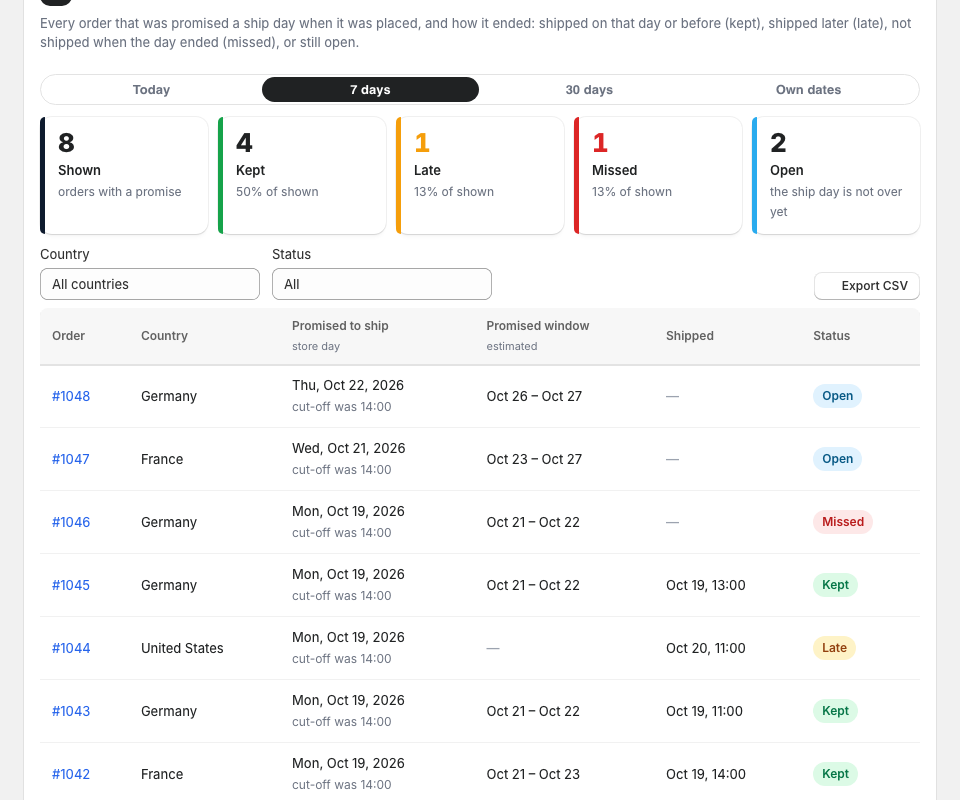
Every order with a shipping address is logged with the day it was promised to ship, the delivery window and the cut-off in force. A fulfilment closes it: kept when it shipped on that day or before, late when after. An order still not shipped when its ship day has ended becomes missed. Periods Today, 7 days, 30 days or your own dates; a filter by country and status; CSV. On Free the log is written for 7 days, and the screen shows what Pro adds.
7. Channels and the missed-promise card
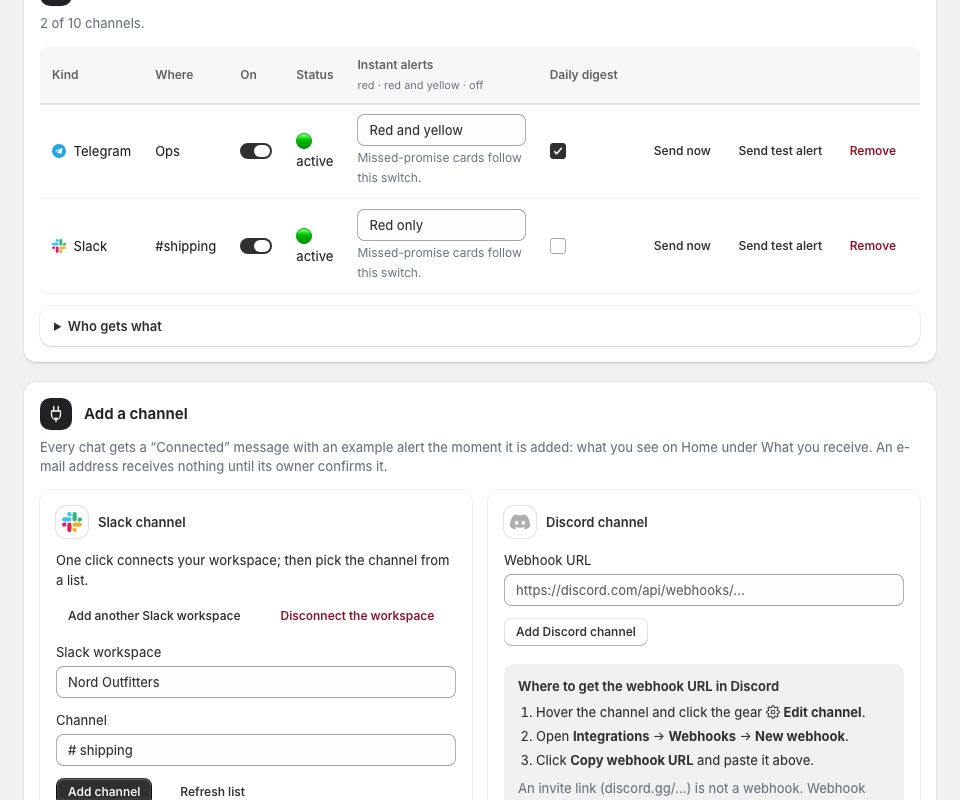
Channels → Telegram gives a link for yourself and one to add the bot to a team group; Slack takes a workspace connection or a webhook URL; Discord a webhook URL; an e-mail address receives nothing until its owner confirms it. Send test alert sends an example at once. The real card goes out once, the morning after the ship day (the first run after 00:30 store time), when orders promised to ship that day were not fulfilled: “3 orders promised to ship yesterday are not fulfilled · cut-off was 14:00 · #1041, #1042, #1043” with a button that opens the orders. The daily digest has a line: kept, late, missed.
8. Free or Pro
Free keeps the bar and the Get it by line, every country, holidays and your own days off, and writes the log for 7 days. Pro adds the Promises screen, the alerts, the digest line and CSV, with a 14-day trial. Manage plan opens Shopify’s own plan page; billing is on your Shopify invoice. Moving down deletes nothing.
9. Stop or change anything
Switch the embed off in the theme editor and the bar disappears at once. Switch a channel off, or use the one-click unsubscribe in any e-mail. Uninstalling the app deletes everything we hold about your store; the metafield with the rules goes with it.