Guide
Getting started
Ten short steps. The first two take about two minutes; the rest you can read when you need them.
A 14-minute walkthrough with English captions: install, a channel by e-mail, the plan page, the rules, Slack, Telegram and Discord, edits in the admin and the alert in the chat, Restore and Undo on a row, a batch, a named snapshot, a bulk edit of seven prices and the way back, the log, CSV and Google Sheets, back to Free, uninstall.
1. Install the app
Open njX Catalog Rollback in the Shopify App Store and click Install. There is no account to create. The app asks to read and write products — nothing else: no orders, no customers, no themes. It reads your catalogue once — every field of every product, every variant — and from that moment every change is written down. Every plan remembers every product.
2. Connect a channel
Channels → Telegram gives you one link for yourself and one to add the bot to a team group. Slack takes a channel webhook URL; Discord a webhook URL; an e-mail address receives nothing until its owner confirms it. Every channel has Send test — an example alert with a Restore button arrives at once — and its own choice of what to receive: alerts, the daily digest, the weekly report. Free has one channel; Pro and Business up to ten.
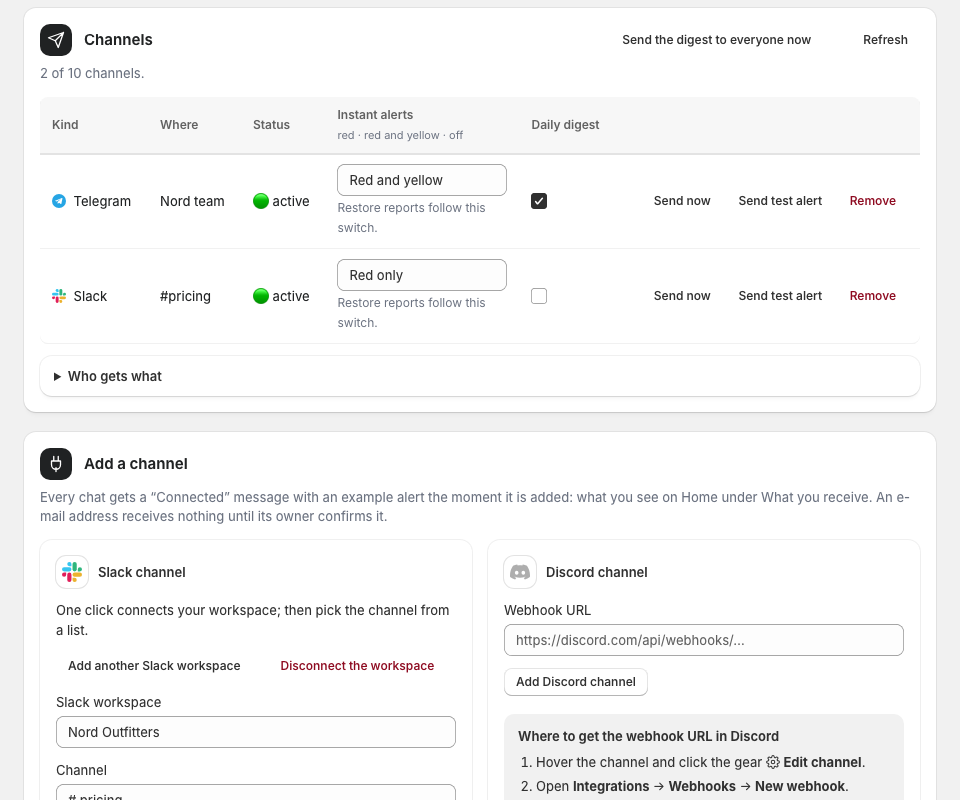
3. Home: the catalogue, remembered
Home says how many products are remembered and what changed today, by field: descriptions, tags, titles, prices, pictures. Under it, the feed of changes that came together — the batches — each with its fields and a Restore. One edit of one product is a single row in Changes; twenty products in two minutes from one source are a batch.
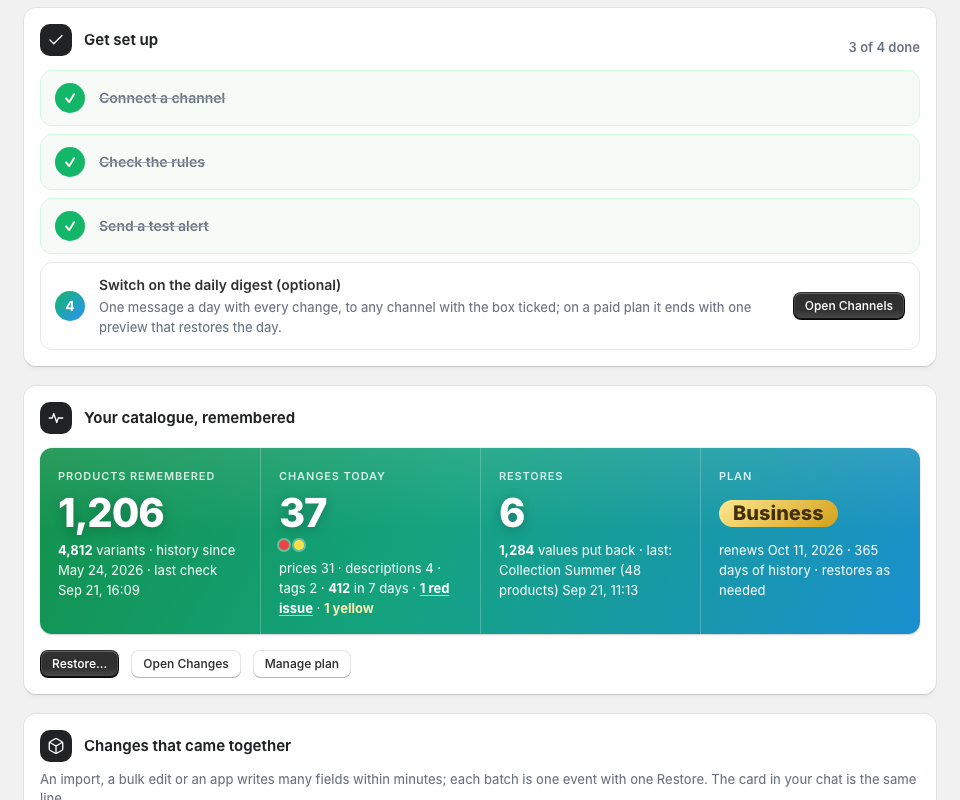
4. A bulk change arrives as one alert
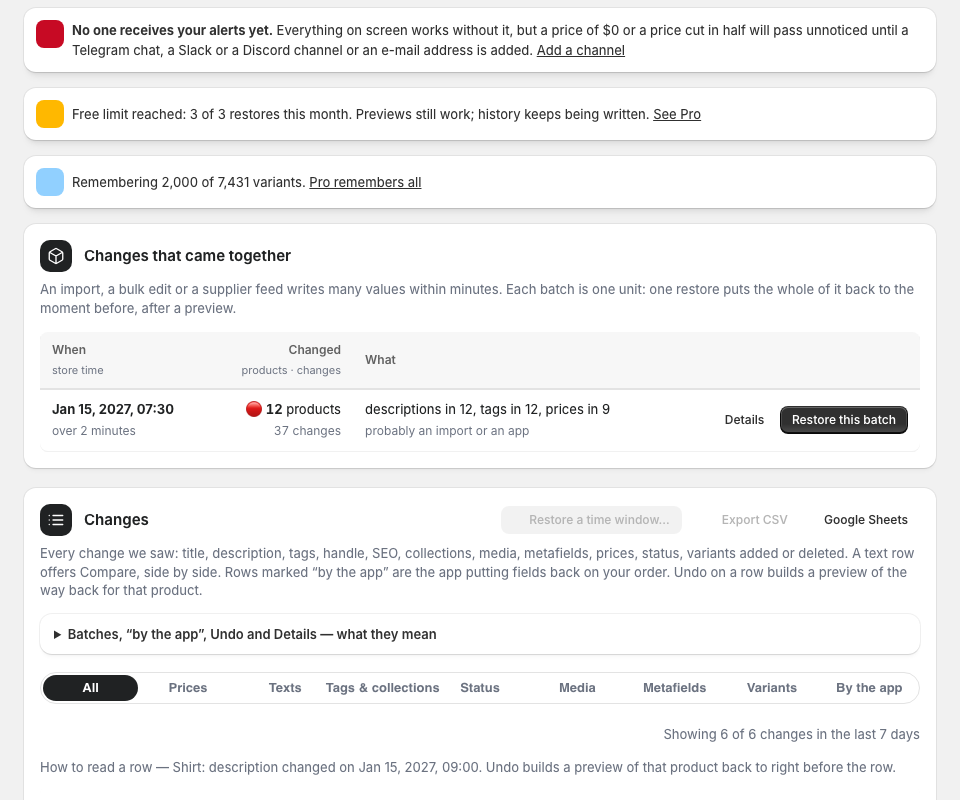
When an import, a bulk edit or an app rewrites many products at once, the chat gets one card about a minute after the last change: how many products, which fields and how many of each — “143 products changed in 2 minutes: descriptions in 96, tags in 143” — and a guess at the source. The card is yellow when texts or tags were replaced, red when products went to draft, were unpublished or got a price of 0. Restore this batch opens the preview of the way back for the whole batch.
5. Changes: every field with its row
Every change the app saw, one row per field: a tag list says which tags came and went; a text row offers Compare — the old and the new text side by side with the words that changed marked; a media row says what was added, removed or reordered. Tabs narrow the list to texts, tags and collections, status, media, metafields or variants; By the app shows what the app itself wrote. Undo on any row restores that one value.
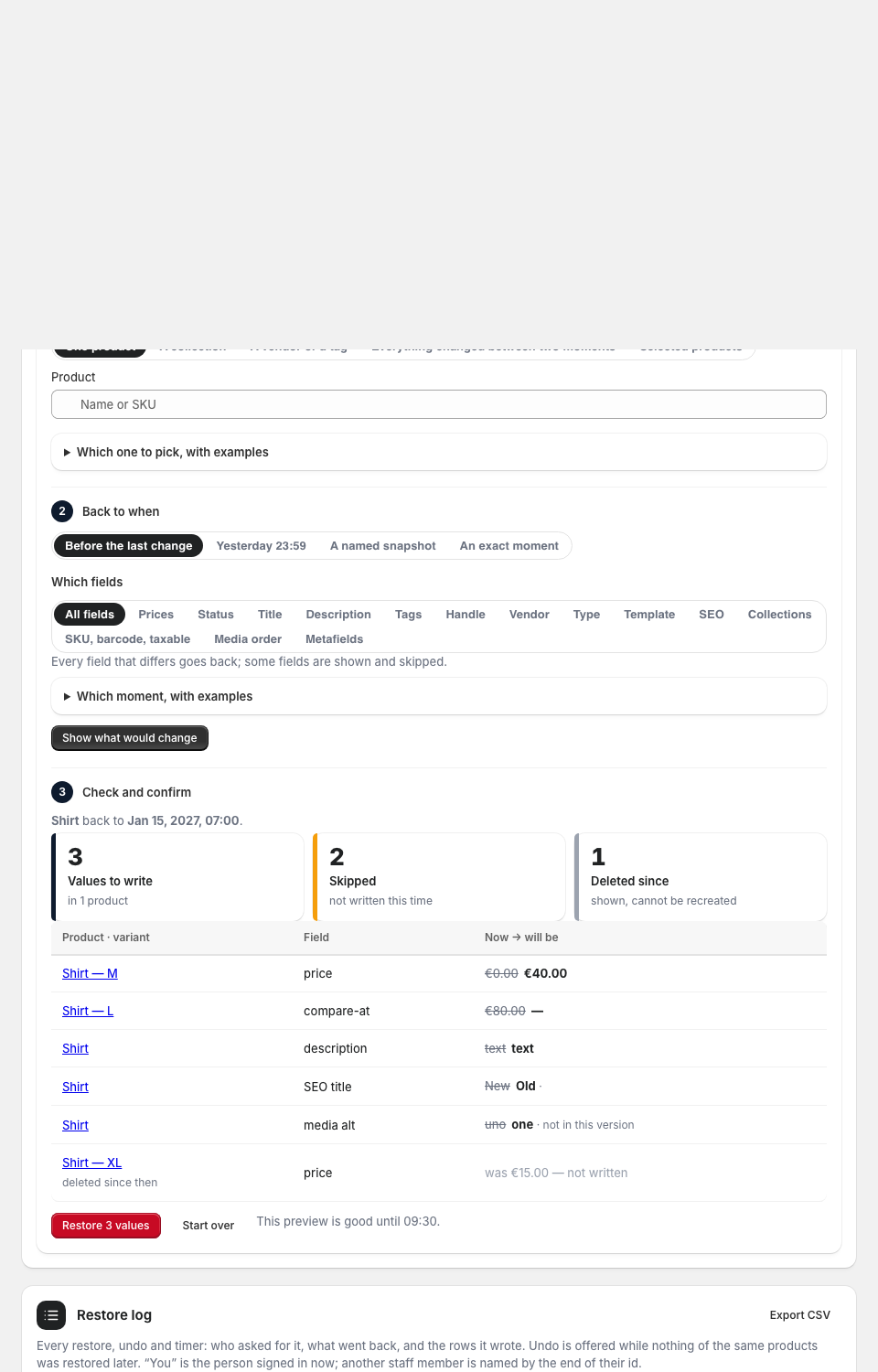
6. Restore: by the fields you pick, after a preview
Choose what to put back — one product, a collection, a batch, or everything that changed in a window — and which fields: tags but not descriptions, SEO but not titles. The preview names every value it would write, now and will be, and lists what it will skip and why: changed after the preview, above the plan, or not in this version. The button says how many values it will write. Nothing is written until you press it; the report lands in the chat with Undo this restore.
7. Products: the history of one product
Open Product history on any row: every change in that product, field by field, with the time and the source — the app, a person, an import. Compare any two versions of a text. Deleted products are listed with what they were, for you to recreate in Shopify; the app never recreates anything.
8. Rules: what the app flags
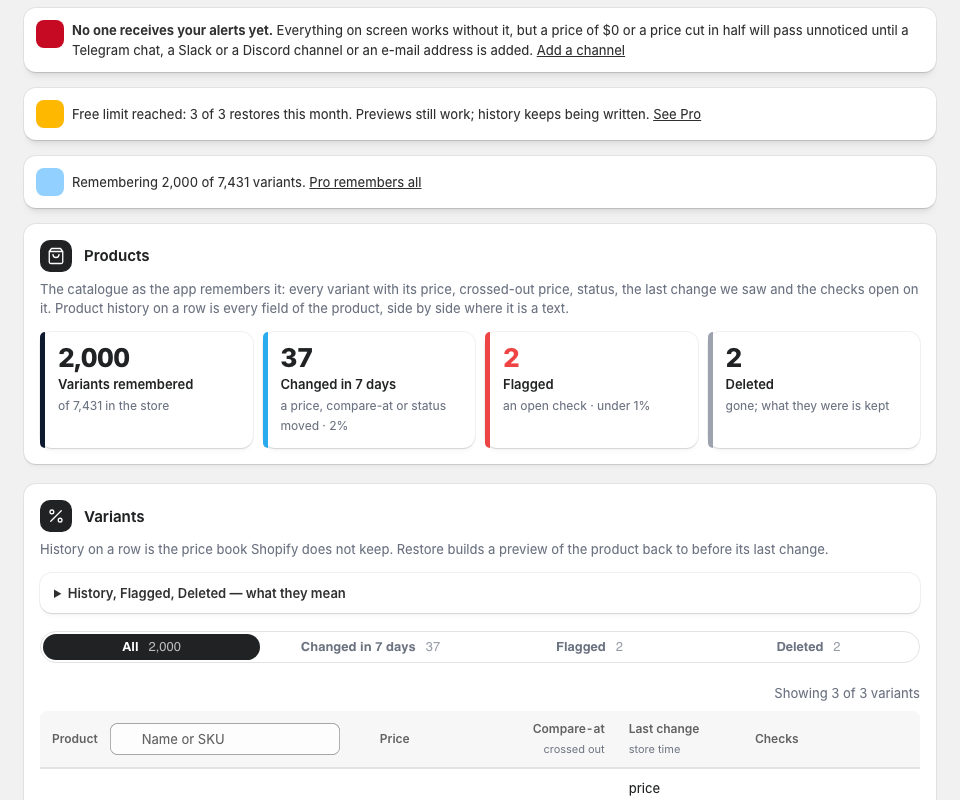
Besides the batch card, three rules watch single products: a description emptied, a handle changed (the product’s address, so links and rankings follow), all pictures removed. Each has a switch; the first two carry a Restore button. The daily digest counts every change and every open issue; the weekly report on Business sums the week.
9. Free, Pro or Business
Free remembers every product and every field for 7 days, restores once a day, one product at a time, and puts back status and prices. Pro keeps 90 days, restores as needed — a collection, a batch or a time window in one go, by the fields you choose — and puts back titles, descriptions, tags, handle, vendor, type, template, SEO, collections, SKU and barcode too, with CSV and a live Google Sheet of the log. Business keeps a year, puts back the order of pictures and the metafields, and adds named snapshots and timers. Manage plan opens Shopify’s own plan page; billing is on your Shopify invoice.
10. Stop or change anything
Switch a channel off and it receives nothing but keeps its place; remove it, or use the one-click unsubscribe in any e-mail. Switch a rule off. Every restore has Undo. Uninstalling the app deletes everything we hold about your store — the snapshot, the texts, the log.