Guide
Getting started
Ten short steps. The first three take about five minutes; the rest you can read when you need them.
1. Install the app
Open njX Price Rollback & Snapshots in the Shopify App Store and click Install. There is no account to create. The app asks to read and write products — nothing else: it has no access to orders or customers. Writing is used for one thing only: putting a price, a compare-at price or a product status back when you confirm a restore or set a timer.
2. Let the first snapshot run
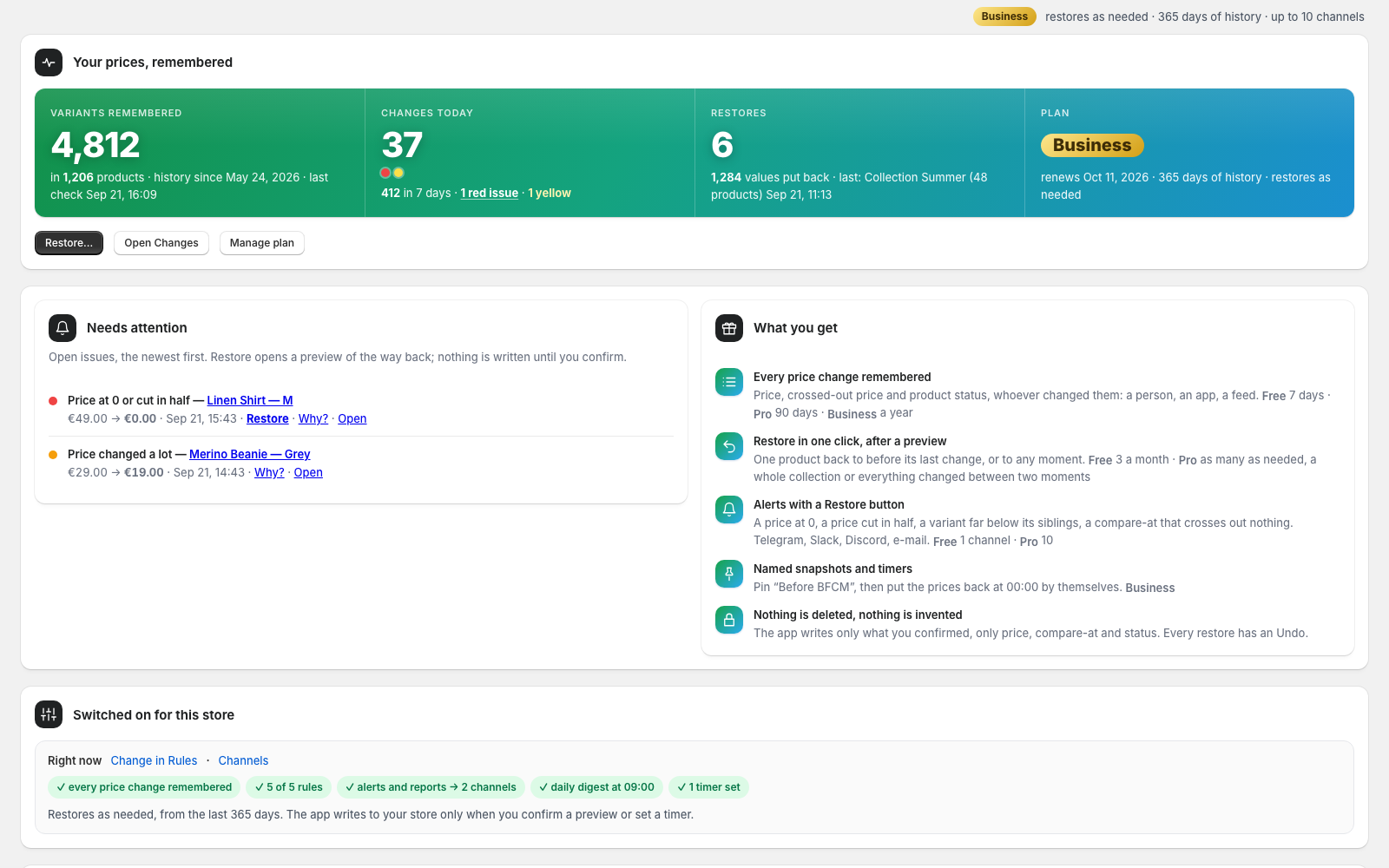
The first load takes a minute or two: every variant is copied into a snapshot. History starts at that moment — nothing before it can be restored, and the app says so. What is already wrong (a price at 0, a compare-at below the price) appears on Home under “Found on the first check”; it is never sent as an alert and, because it happened before the app arrived, it is yours to fix in Shopify.
3. Connect a channel
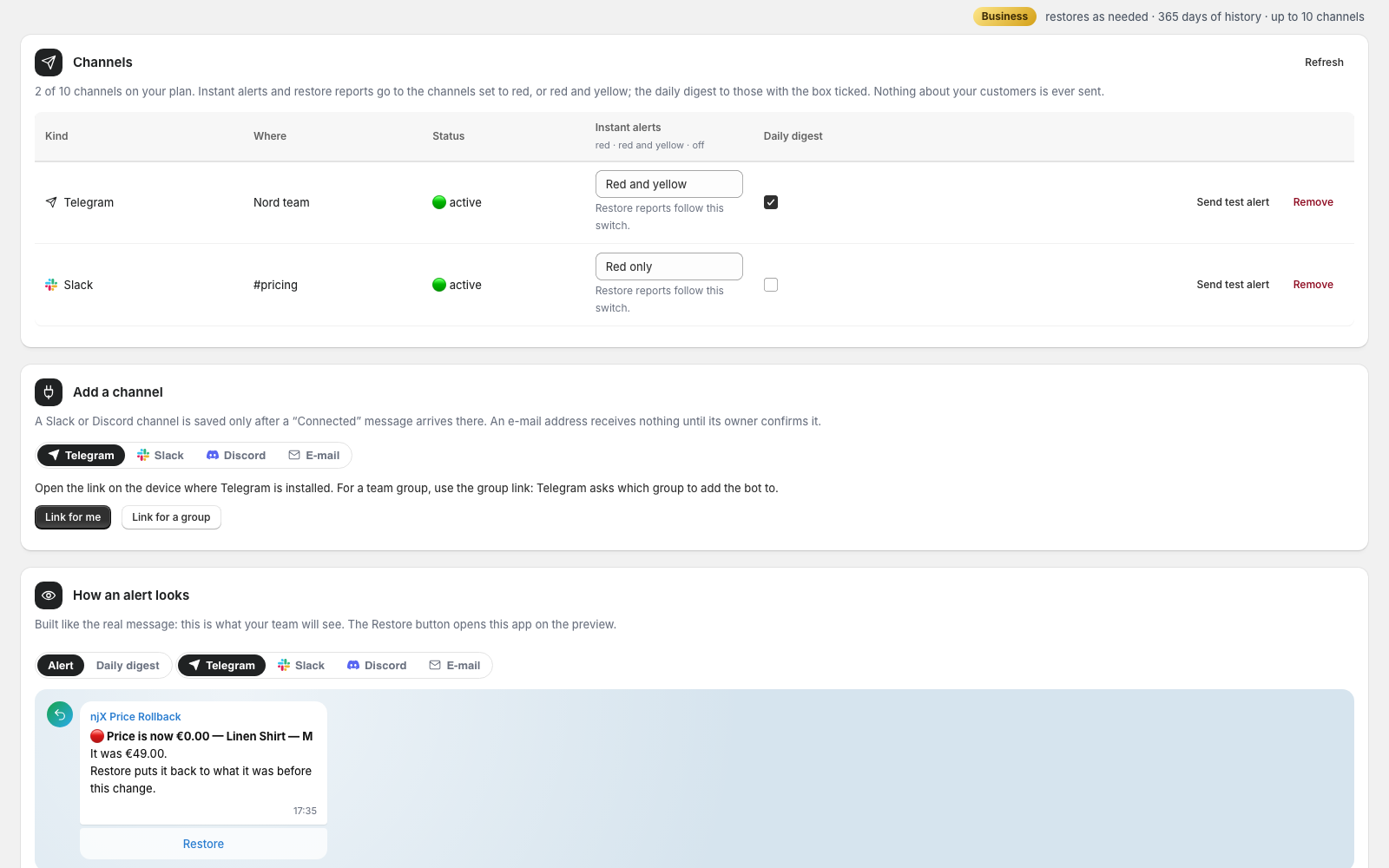
Channels → Telegram gives you two links: one for yourself, one to add the bot to a team group. Slack and Discord take a channel webhook URL, checked by posting a “Connected” message before it is saved. An e-mail address receives nothing until its owner confirms it. Alerts arrive with a Restore button, and every restore reports back to the same channels.
4. Read Changes: the log
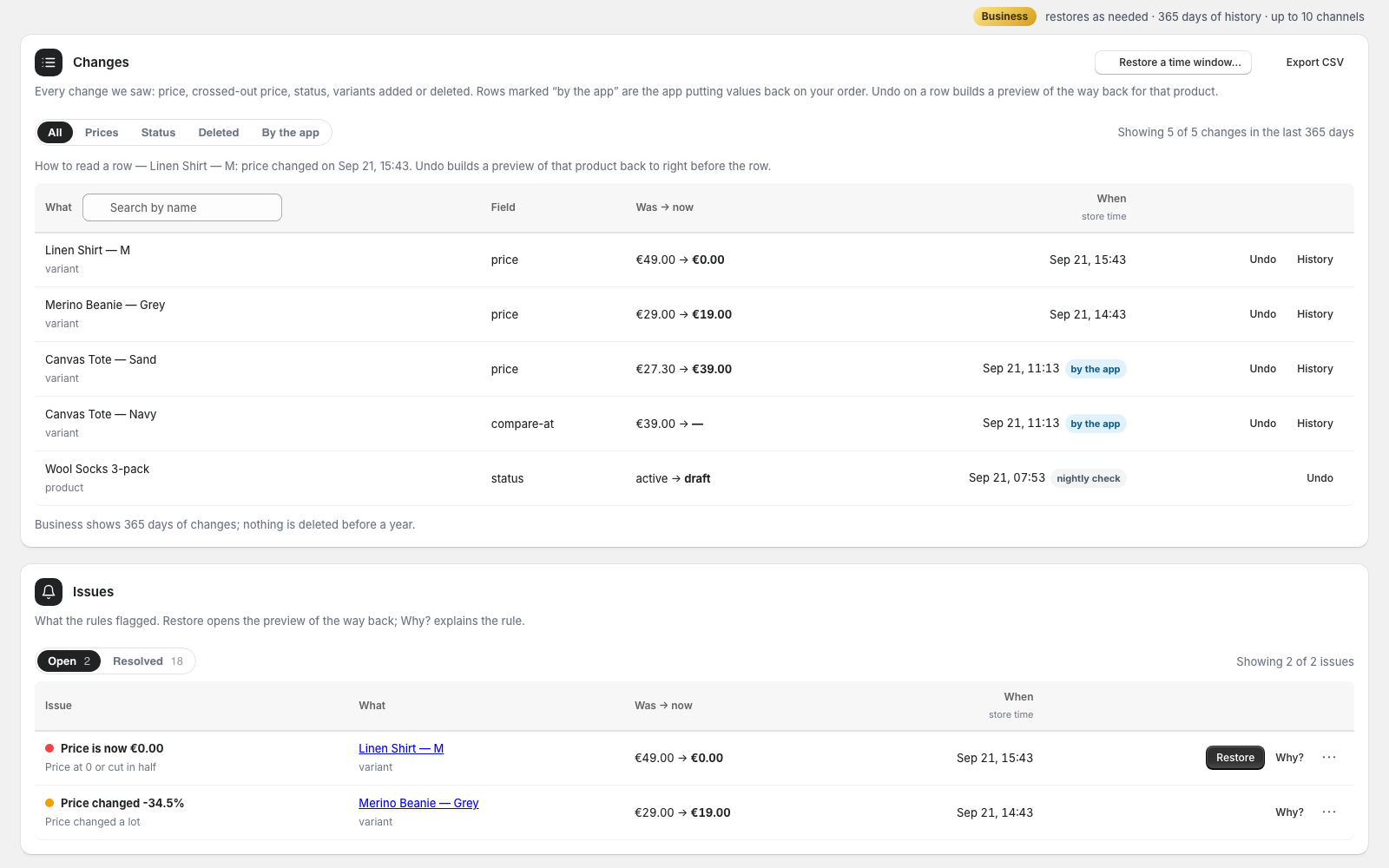
Every change the app saw is a row: what, which field, was → now, when, and where it came from — a webhook, the nightly check, or the app itself putting a value back on your order (marked “by the app”). Undo on a row builds a preview of that product back to right before the row. Below the log, Issues lists what the rules flagged, with Restore where a restore is the fix and Why? for the rule and its threshold.
5. Restore: three steps, nothing written until the third
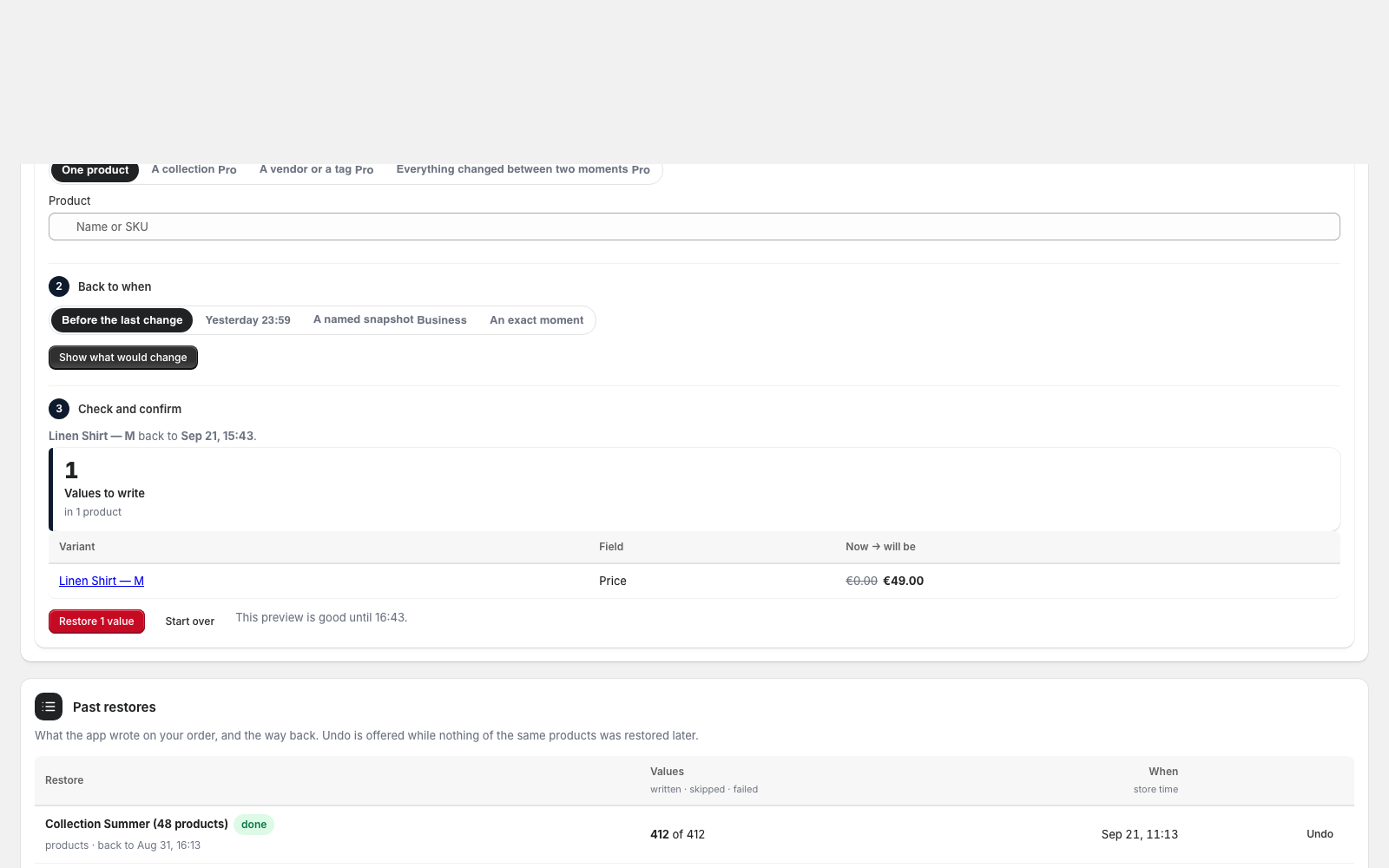
Step 1: one product (any plan), or on Pro a collection, a vendor or tag search, or everything that changed between two moments. Step 2: back to before the last change, yesterday at 23:59, a named snapshot (Business) or an exact moment, in your store’s time zone. Step 3 is the preview: every value the app would write, now → will be, with variants deleted since then shown apart because they cannot be recreated. The button says how many values it will write. A preview is good for 30 minutes; every value is read again right before it is written, and one that moved since is skipped and listed. Past restores sit below with Undo while nothing of the same products was restored later.
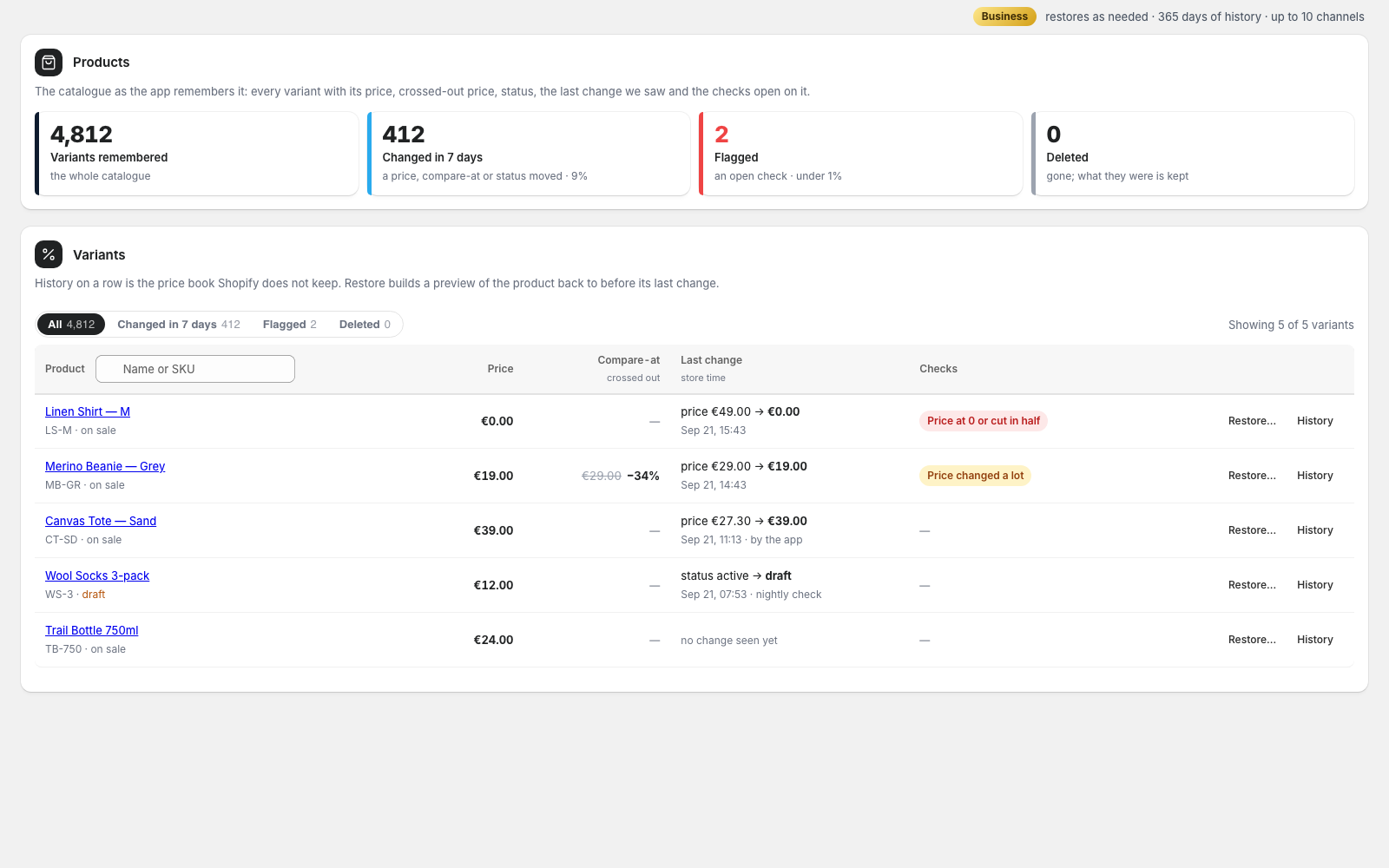
6. Read Products: the catalogue as the app remembers it
Every variant with its price, crossed-out price and the discount it makes, the last change and where it came from, and the checks open on it. Tabs narrow it to what changed in the last 7 days, what is flagged, and what was deleted — with the last price and a link to the product, so you can recreate it. History on a row is the price book Shopify does not keep; Restore… opens the wizard on that product.
7. Snapshots and timers (Business)
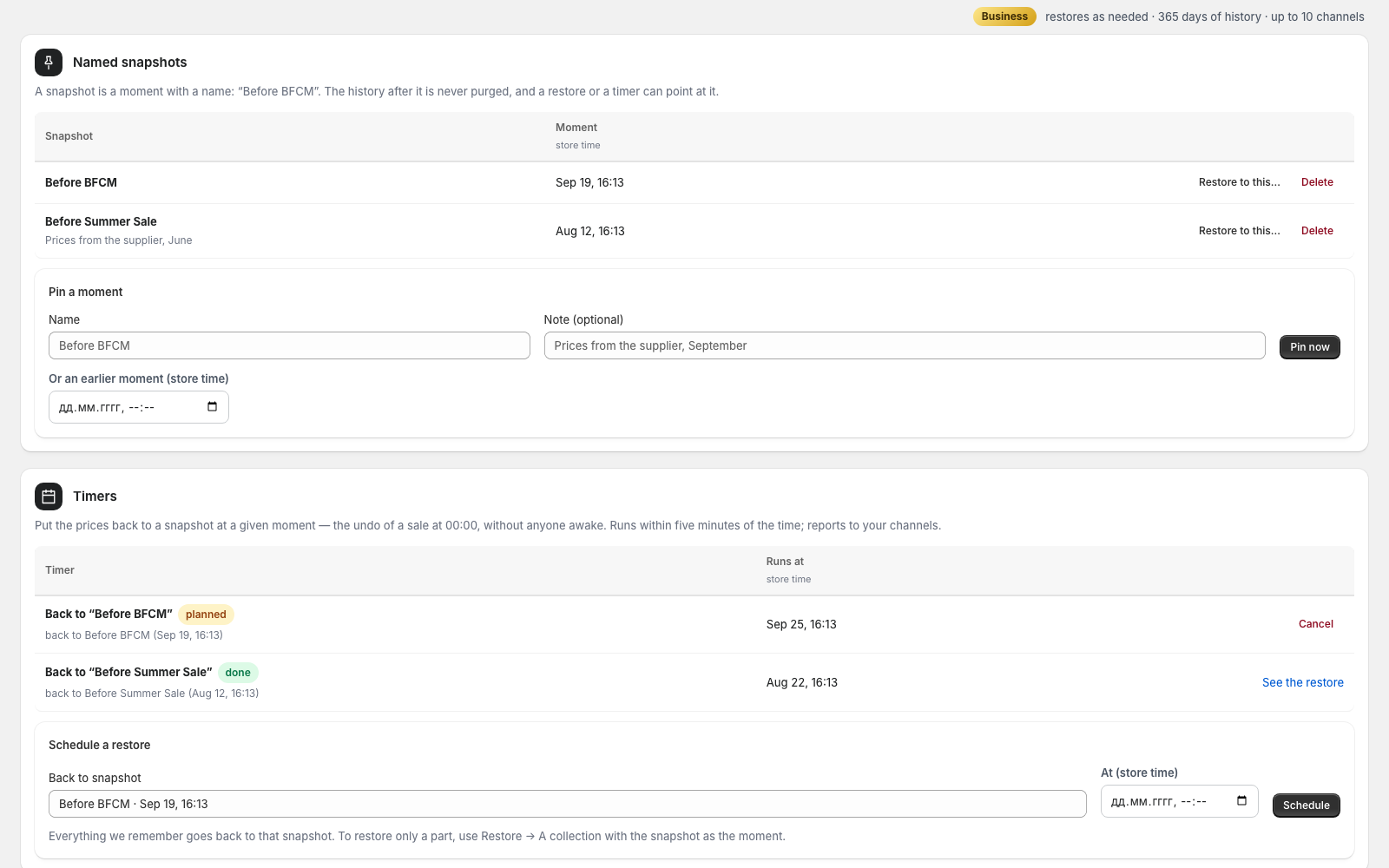
Pin a moment with a name — “Before BFCM” — now or any earlier moment within your history. The history after a pin is never purged while the pin exists, and a restore or a timer can point at it. A timer says: back to this snapshot at this time, store time; it runs within five minutes of the moment, writes in batches and reports to your channels. A timer on a shop that left Business pauses and runs again the first tick after the plan is back.
8. Rules and the digest
Five checks with a switch each and, on a paid plan, their thresholds in plain units: a price drop from 50%, a price move of 20%. Three of them carry a Restore button in the alert (a price at 0 or cut in half, one variant far below its siblings, a compare-at below the price); a price move and a product taken off sale are facts, not mistakes to undo. The daily digest lists everything that changed yesterday and, on a paid plan, ends with “Restore yesterday’s changes” — one preview for all of it. Restoring never depends on a rule: the log is kept for everything.
9. Free, Pro or Business
Free remembers 7 days and puts back one product at a time, three times a month. Pro remembers 90 days, restores as needed, and covers a collection, a search or a time window in one go, with your own thresholds and a CSV of the log. Business remembers a year and adds named snapshots and timers. Manage plan opens Shopify’s own page; billing is on your Shopify invoice. Moving down deletes nothing: the older history locks, timers pause.
10. Stop or change anything
A running restore can be stopped; what was already written stays and can be undone. Switch a channel off, remove it, or use the one-click unsubscribe in any e-mail. Uninstalling the app deletes everything we hold about your store and writes nothing to it.
Still stuck?
The FAQ answers the common questions, and support reaches the developer directly.