Guide
Getting started in about a minute.
Everything below happens inside your Shopify admin. No bot tokens, no BotFather, no code.
A 5-minute silent walkthrough: install, connect, first order, cancellation, the daily report, recipients with masks, your own message text.
1. Install the app
Open Order Alerts for Telegram in the Shopify App Store and click Install. There is no account to create and nothing to configure on the Telegram side — the app ships with its own bot, @ShopOrderAlertsBot. The app lives inside your Shopify admin under Apps.
2. Choose where alerts go
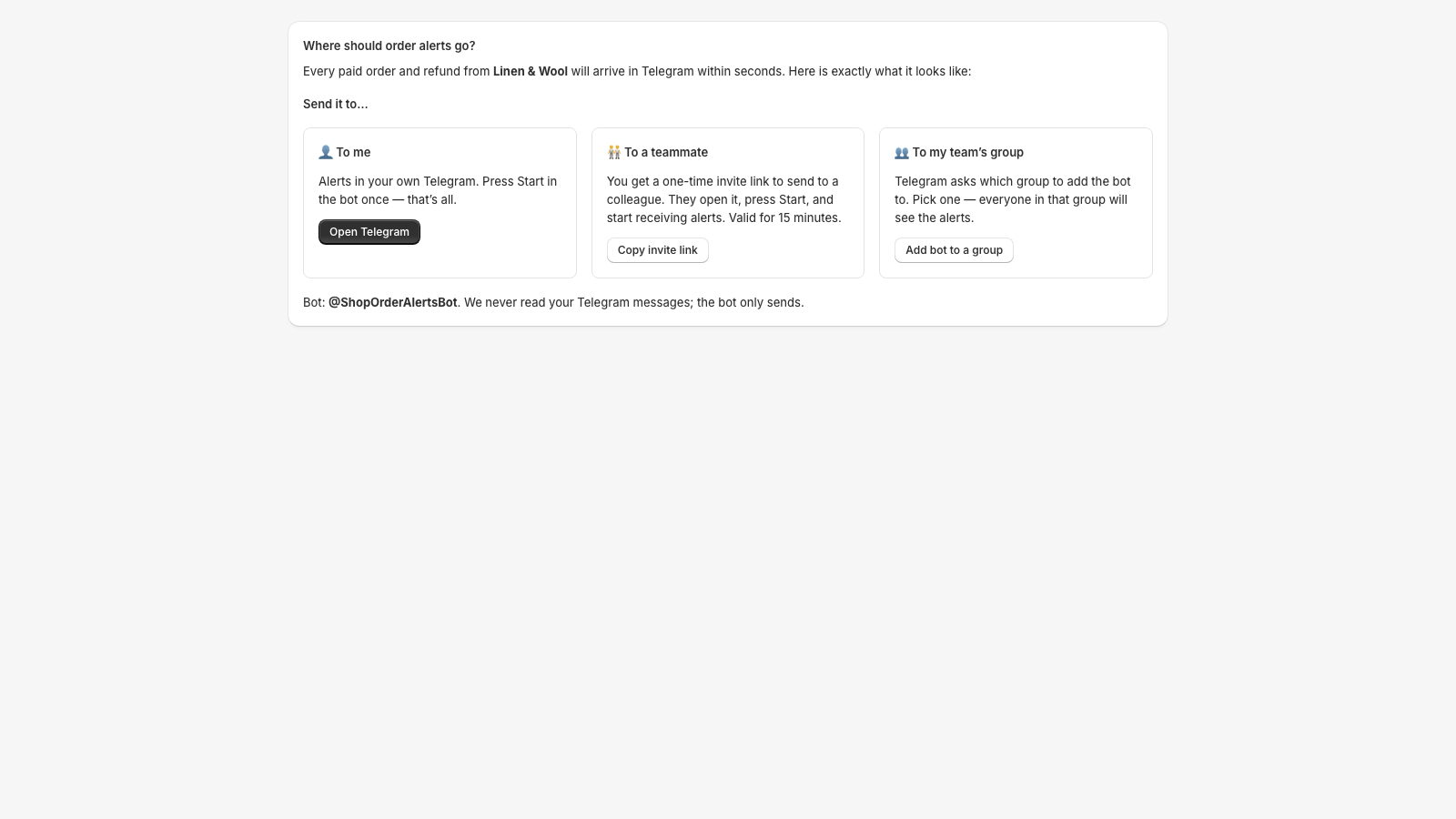
The first screen asks one question: where should order alerts go? “To me” opens Telegram — press Start in the bot and you are connected. “To a teammate” gives you a one-time invite link to forward to a colleague. “To my team’s group” lets Telegram add the bot to a group you pick. Invite links are valid for 15 minutes and work once.
3. Get the first alert
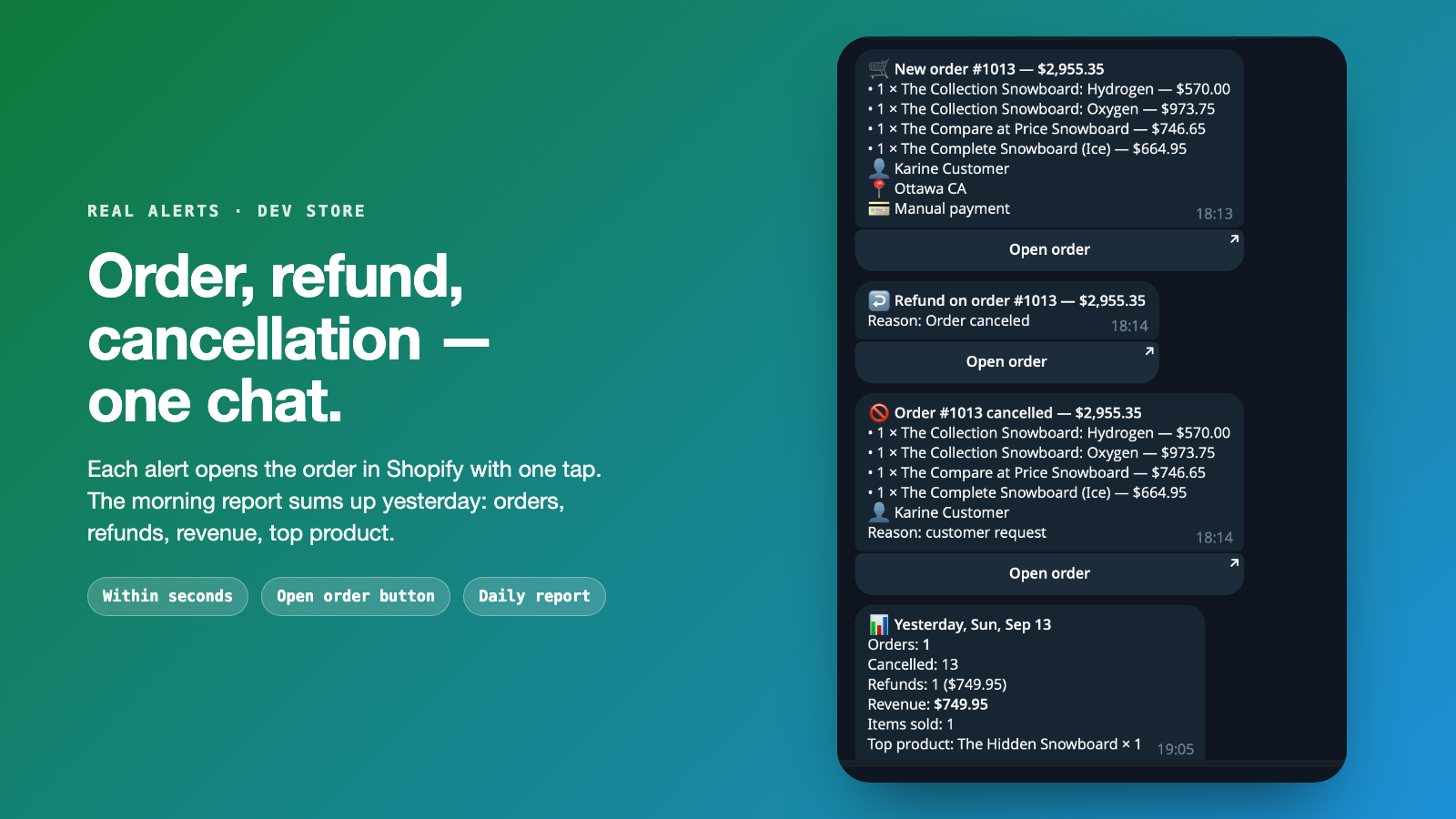
Click “Send test alert” in the app, or wait for the next paid order. From now on every paid order, refund and cancellation arrives within seconds, with a button that opens the order in your Shopify admin. Abandoned checkouts arrive after the delay you choose (30 minutes to 4 hours).
4. Decide what to send
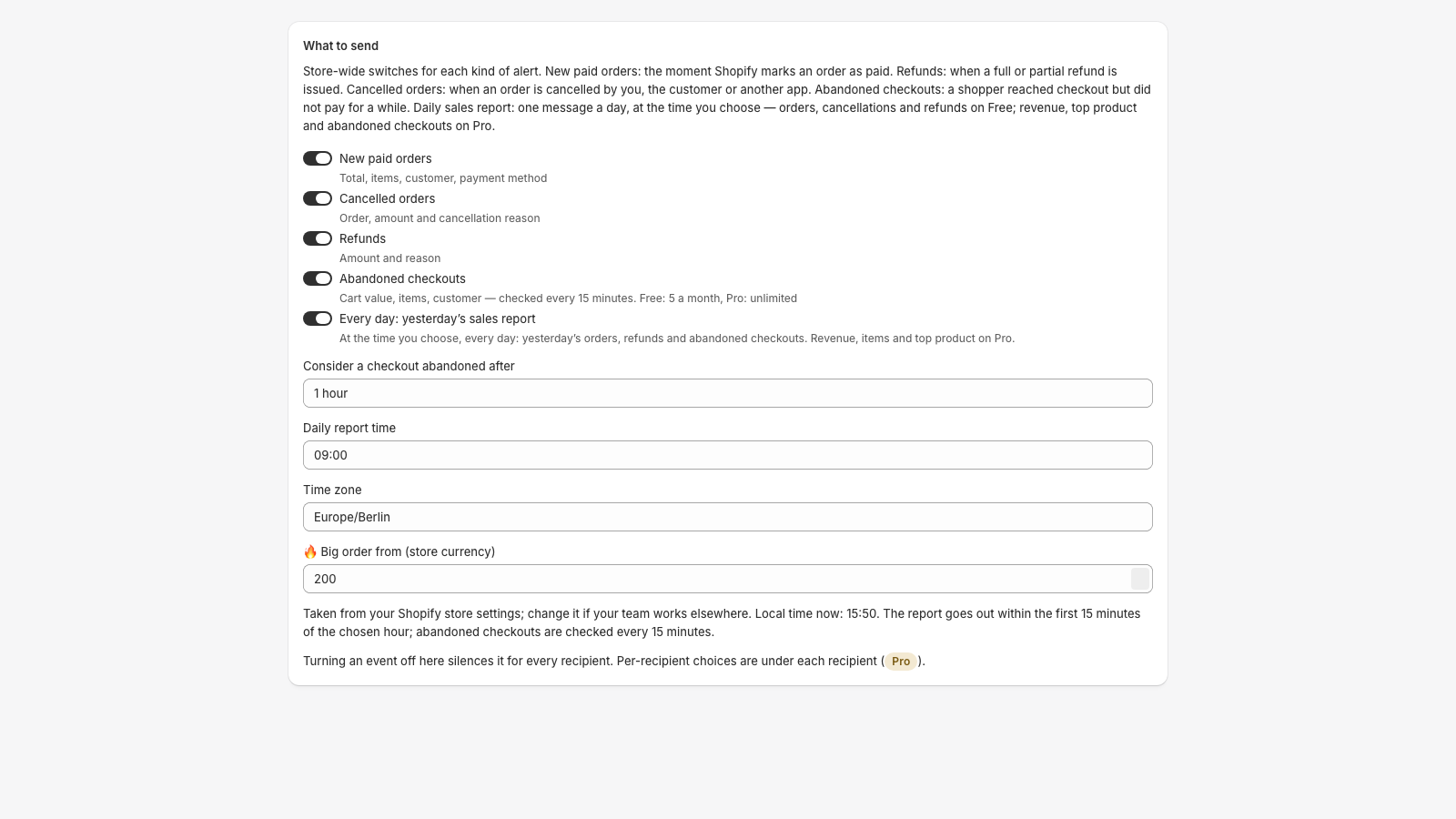
Store-wide switches turn each alert type on or off for everyone. Here you also set the daily report hour, the time zone (taken from your store settings), the abandoned-checkout delay and the 🔥 big-order threshold. “Send yesterday’s report now” delivers the report immediately without touching the morning schedule.
5. Give each recipient its own alerts
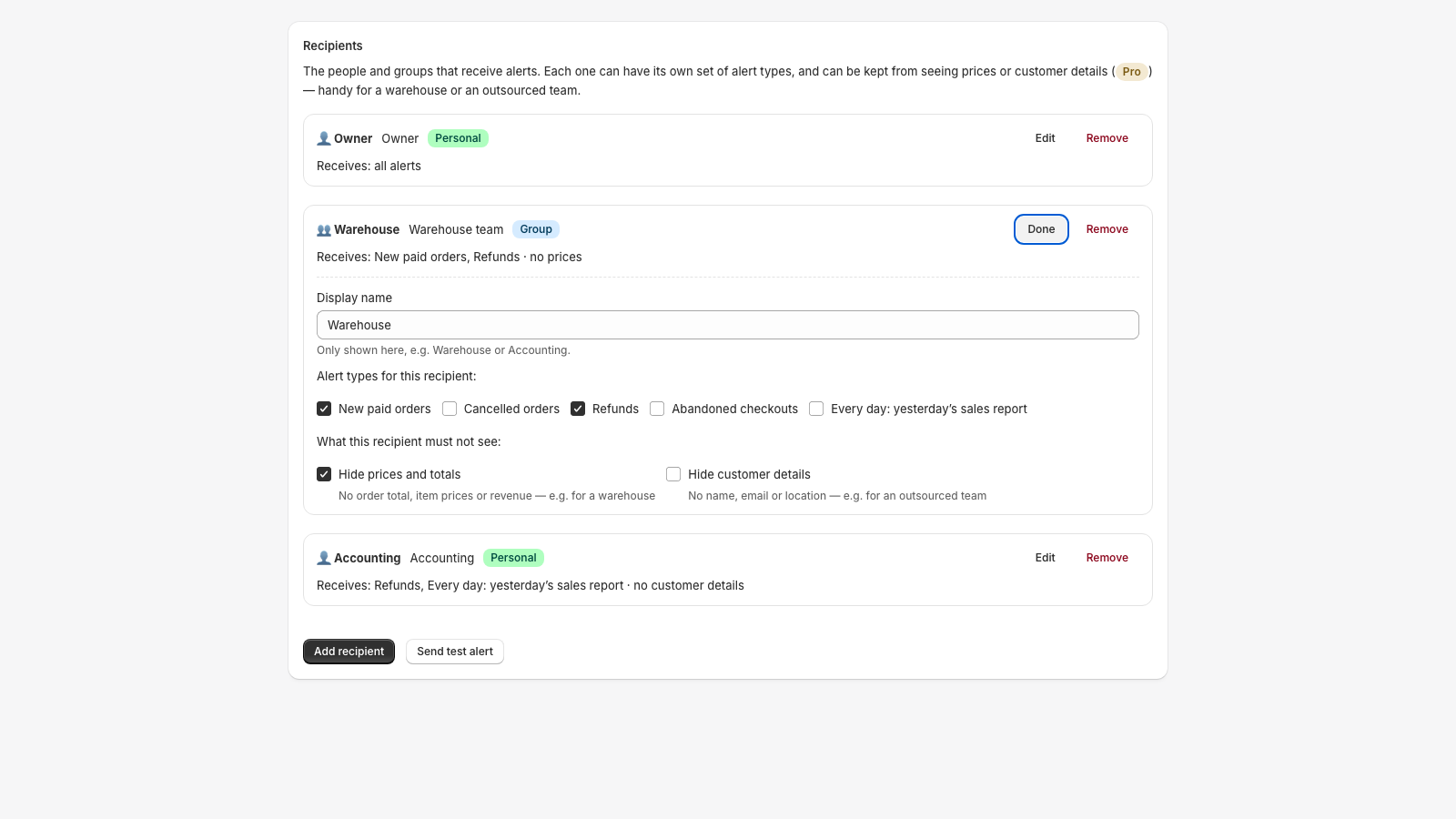
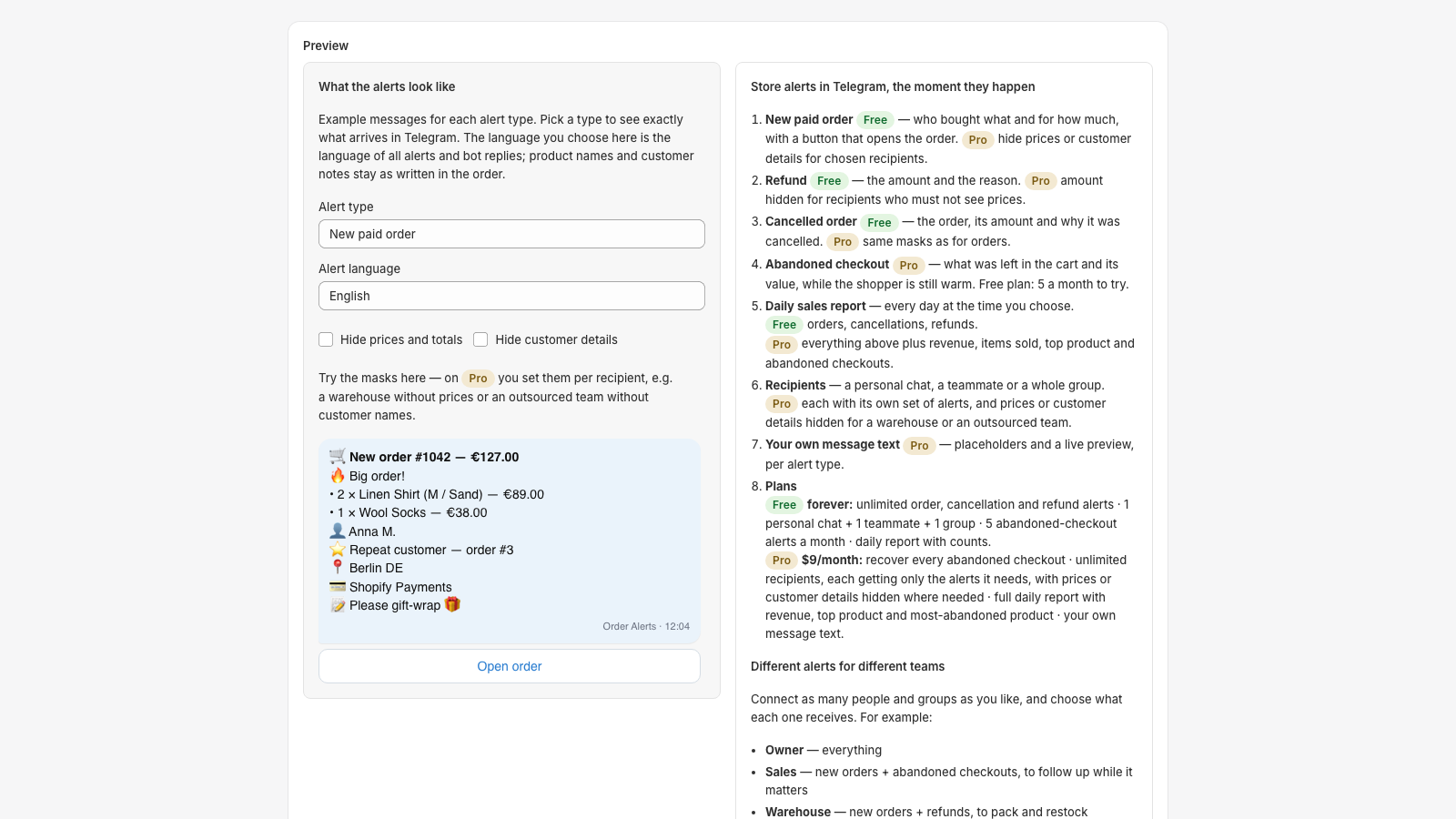
On Pro every recipient gets its own set: the warehouse gets new orders and refunds, accounting gets refunds and the daily report. Two masks per recipient hide what that chat must not see — prices and totals, or customer details. Masks apply to every alert type.
6. Pick the language and preview
The preview shows exactly what arrives in Telegram for each alert type. The language you choose here is the language of all alerts and bot replies — English, Spanish, German, French, Italian, Ukrainian or Russian. Product names and customer notes stay as written in the order. Try the masks here on any plan.
7. Write it your way
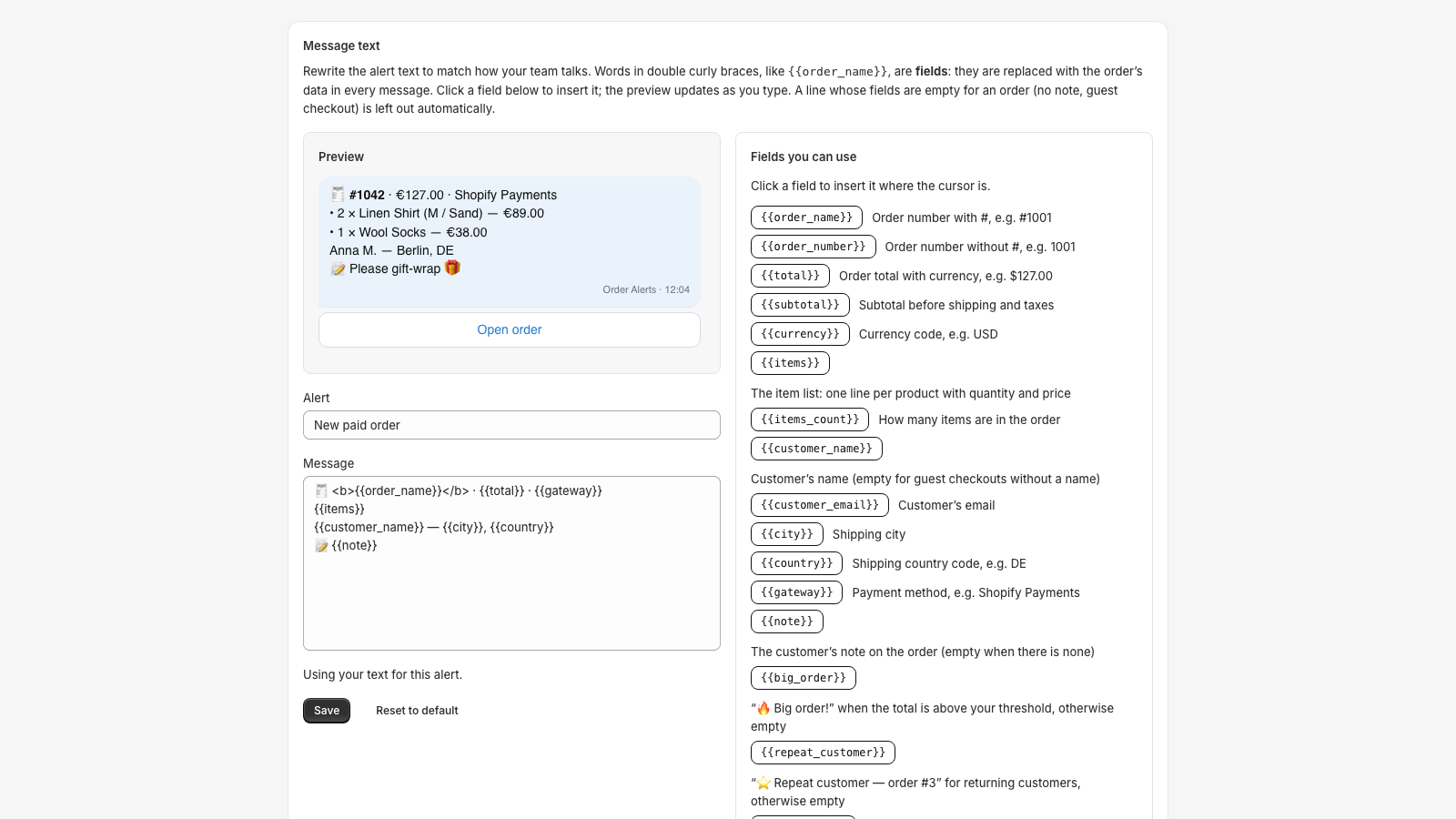
On Pro you can rewrite the text of paid-order, cancellation and refund alerts. Fields like {{order_name}} and {{total}} are filled from the order; Telegram formatting (bold, italic, mono, links) works; a line whose fields are empty for an order is left out automatically. The preview updates as you type and tells you exactly what to fix if something is off.
8. Stop or change anything
Remove a recipient in the app, or type /unlink in that Telegram chat. Manage plan opens Shopify’s plan page; billing is on your regular Shopify invoice. Uninstalling the app deletes everything we hold about your store within 48 hours.